Setting up Brand Voice Profile
Last updated: June 2, 2026
Establishing a clear and consistent brand voice is essential for creating polished, recognizable communications across your organization. Kantiv’s Brand Voice Profiles make it easy to define the tone, personality, and style you want your content to follow so every draft, chat response, and proposal reflects your brand identity. In this article, you’ll learn what a Brand Voice Profile is, how to set one up, and how to apply it in Chat, along with examples to help you build the right voice for your needs.
What is a Brand Voice Profile?
A Brand Voice Profile is a structured set of guidelines that defines how your organization communicates—its tone, personality, style, and point of view. It acts as a blueprint for consistent, on-brand messaging across every piece of content you create. Brand Voice Profiles ensure that Kantiv generates content that sounds unmistakably like you. Whether you're drafting proposals, writing social posts, or responding to clients, a strong Brand Voice Profile helps maintain clarity, cohesion, and authenticity in every interaction.
Accessing Voice Profiles
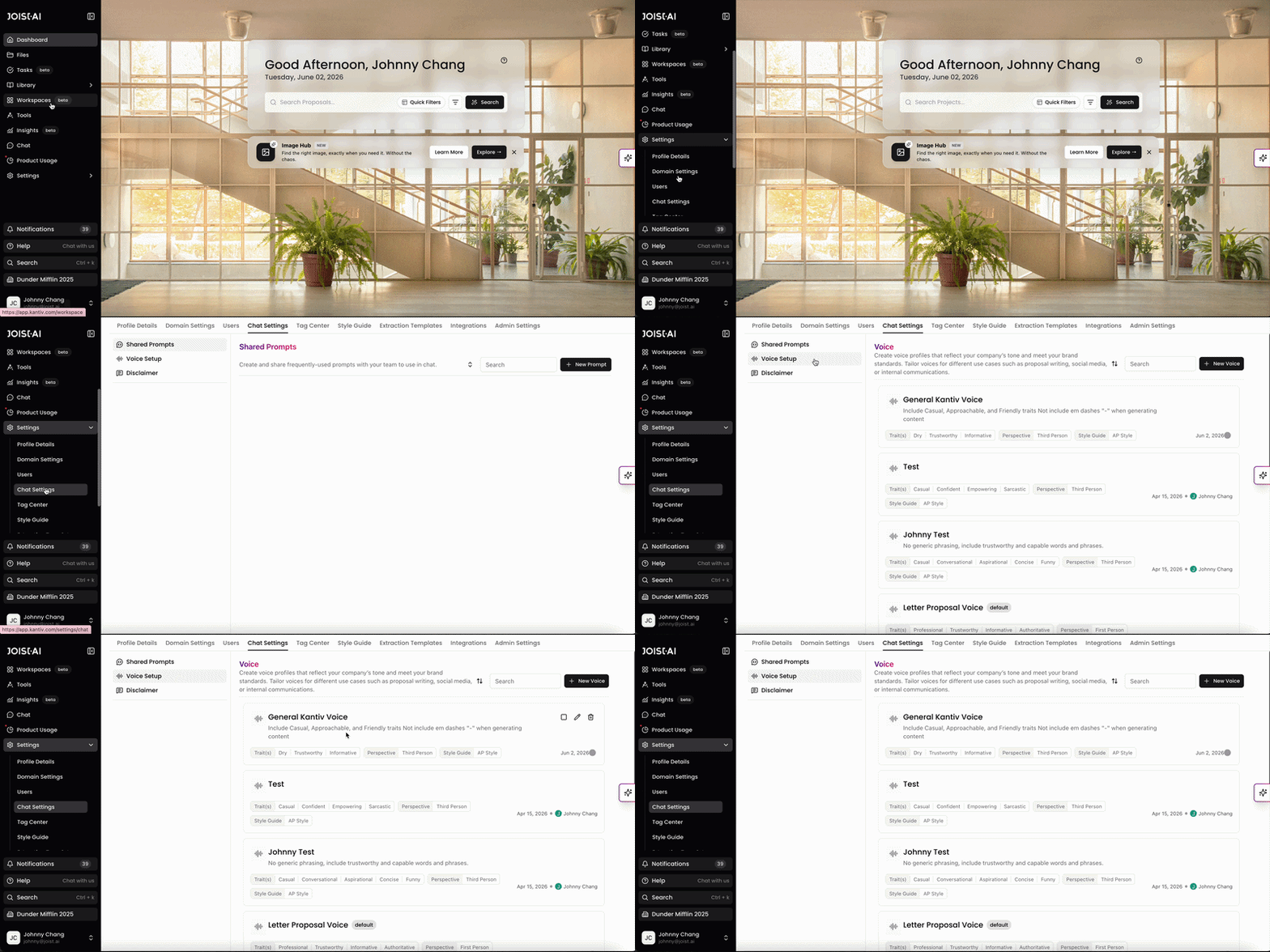
Voice Setup can be found in the Chat Settings page under the Settings tab. Alternatively, you can click on this link and then click on Voice Setup to access the page.
Once here, you can edit existing voice profiles or generate a new voice profile to get started.
Setting Up A New Voice Profile
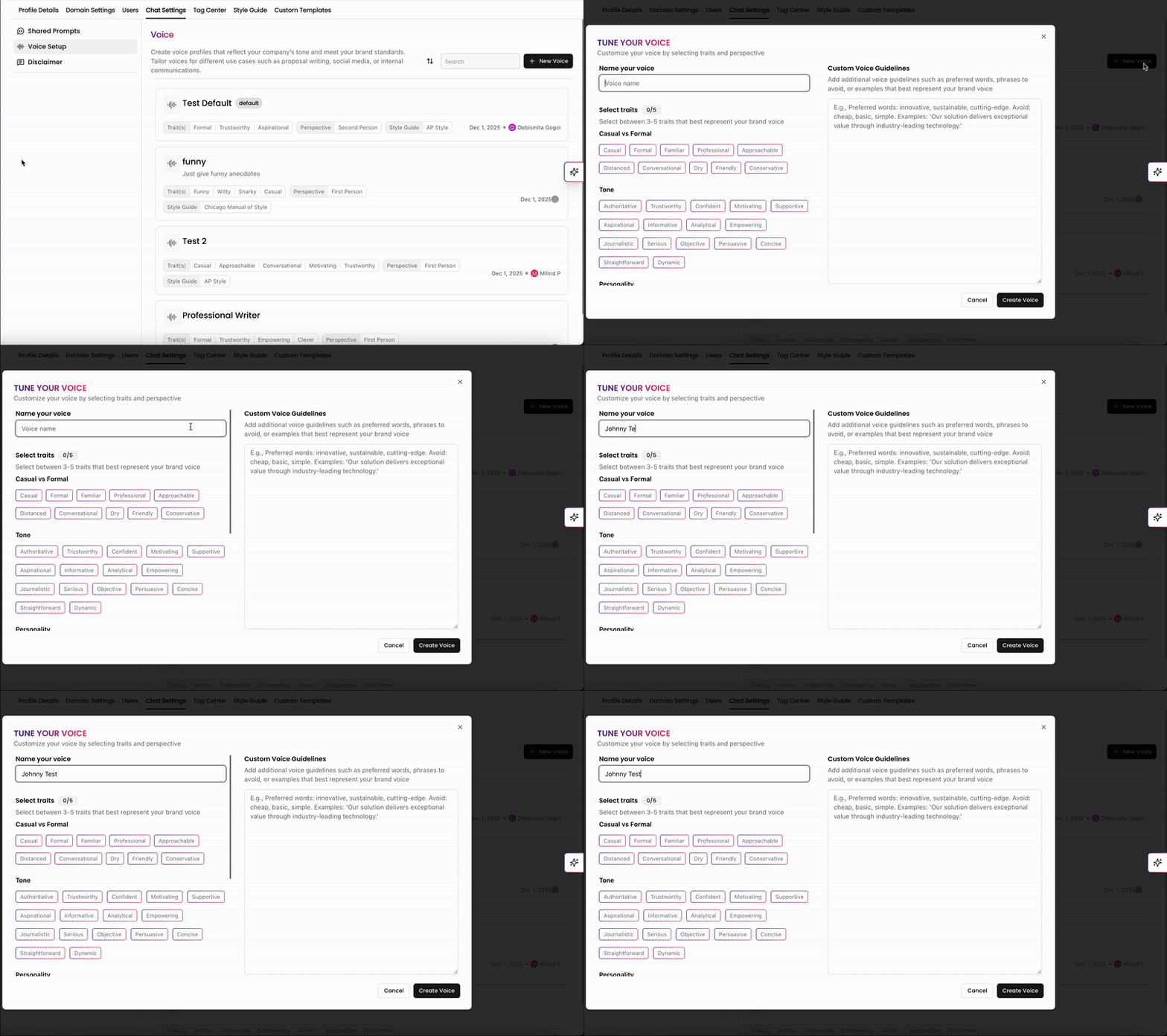
Click on +New Voice to get started with setting up a new Voice Profile. This will open a pop up window in the app where you can name and toggle settings for this new Voice Profile.
First, give your voice profile a name that's clear and easy to select in a list of Voice Profiles. For example, if you're setting up a Voice Profile intended for social media posts, name it Social Media.
Voice Personality Traits
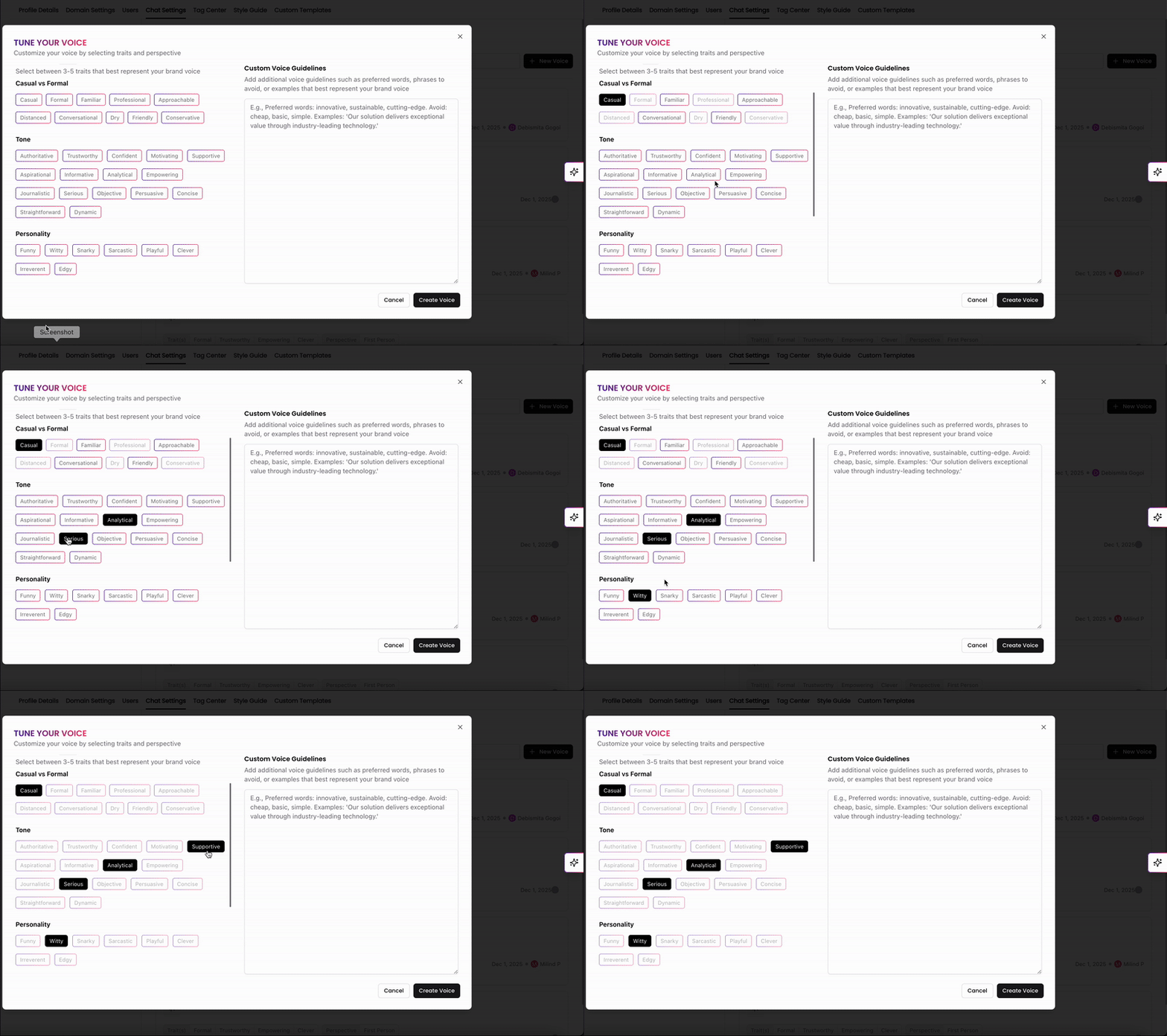
Next, you can select traits to configure the formality, tone, and personality of your Voice Profile. In the Kantiv app, we have some default personality traits options you can select from to capture exactly what style of text you're looking for.
Casual vs. Formal: Determine the level of formality in your communications. A casual tone might make your brand seem more approachable, while a formal tone can convey professionalism.
Tone: This includes aspects like being authoritative, trustworthy, or motivational. The tone sets the mood of your messages and influences how your audience feels about your brand.
Personality: Attributes like funny, witty, or edgy define the unique personality of your brand. A distinct personality helps your brand stand out and be memorable.
Please note that you can only select 5 traits among this list. If none of these options fit the Voice Profile you're looking to generate, you can also add them to the custom voice guidelines at the bottom of the page.
Perspective and Style Guide
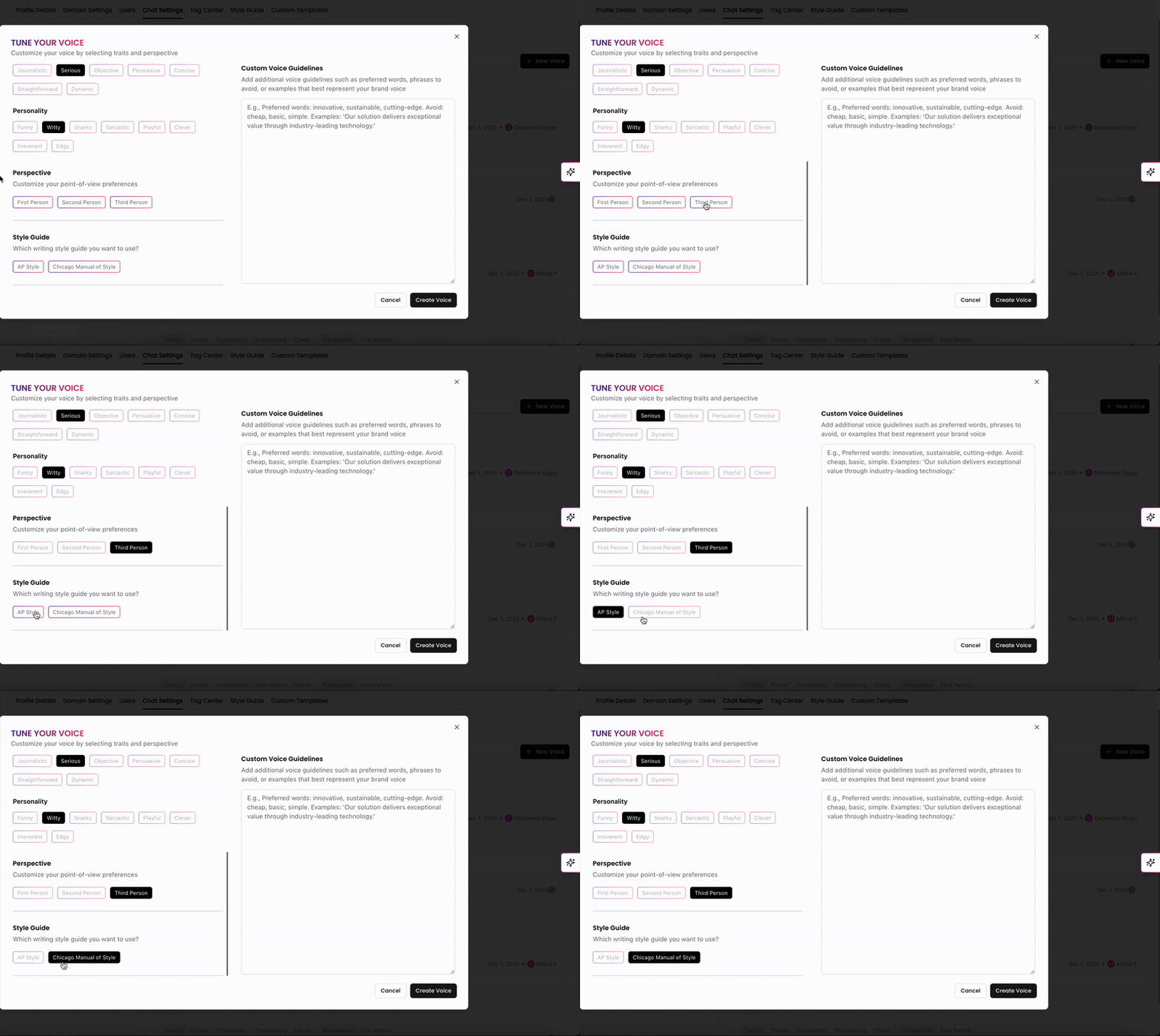
In Perspective, you can choose between first person, second person, or third person to set the perspective of your communications. This helps align your messaging with your brand’s overall communication strategy.
In Style Guide, you can select a writing style such as AP Style or Chicago Manual of Style. This ensures consistency in your brand’s writing, which is essential for maintaining a professional and coherent voice.
Custom Voice Guidelines
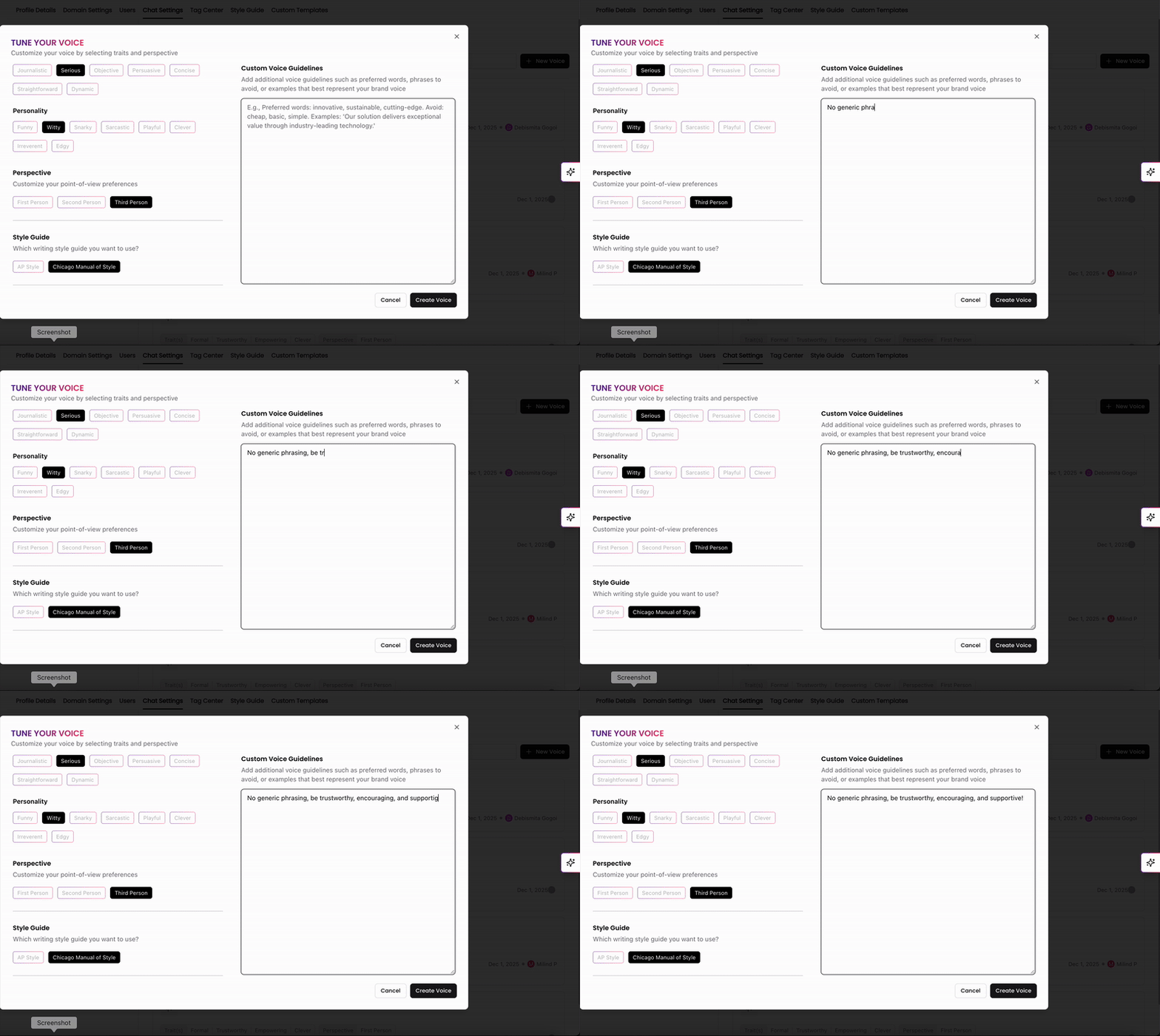
If you have other rules and guidelines for your Voice Profile to follow when generating responses, you can add them under Custom Voice Guidelines. Here, you can include preferred words and phrases or specific words to avoid, as well as list any personality traits that weren't in the initial traits listed above.
Once complete, click Create Voice on the top right to save your new Voice Profile.
Voice Profile Actions
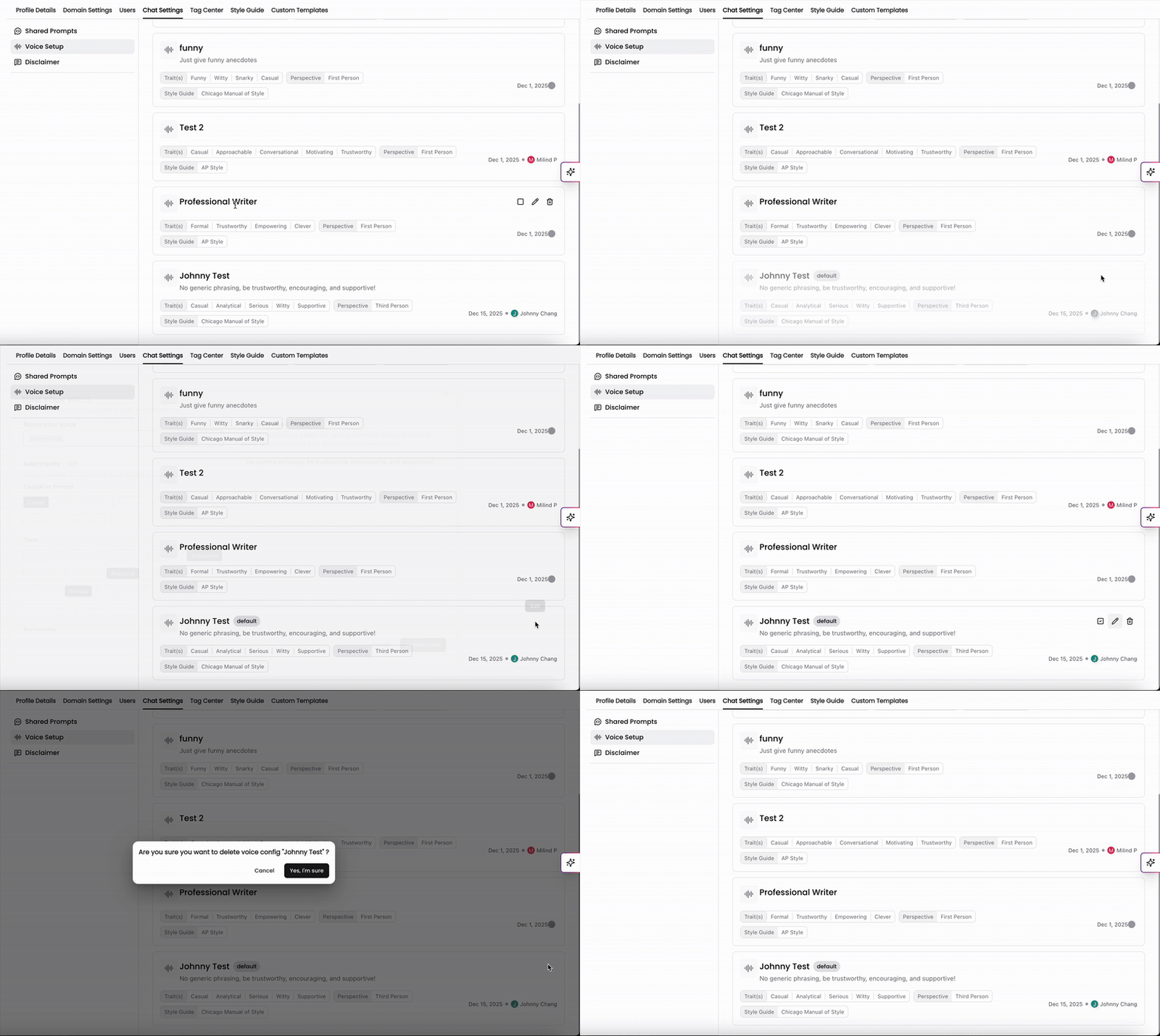
After saving your Voice Profile, you can set it as your default, meaning Chat will automatically apply it to all responses. You can also edit or delete the profile at any time.
Applying Voice Profiles
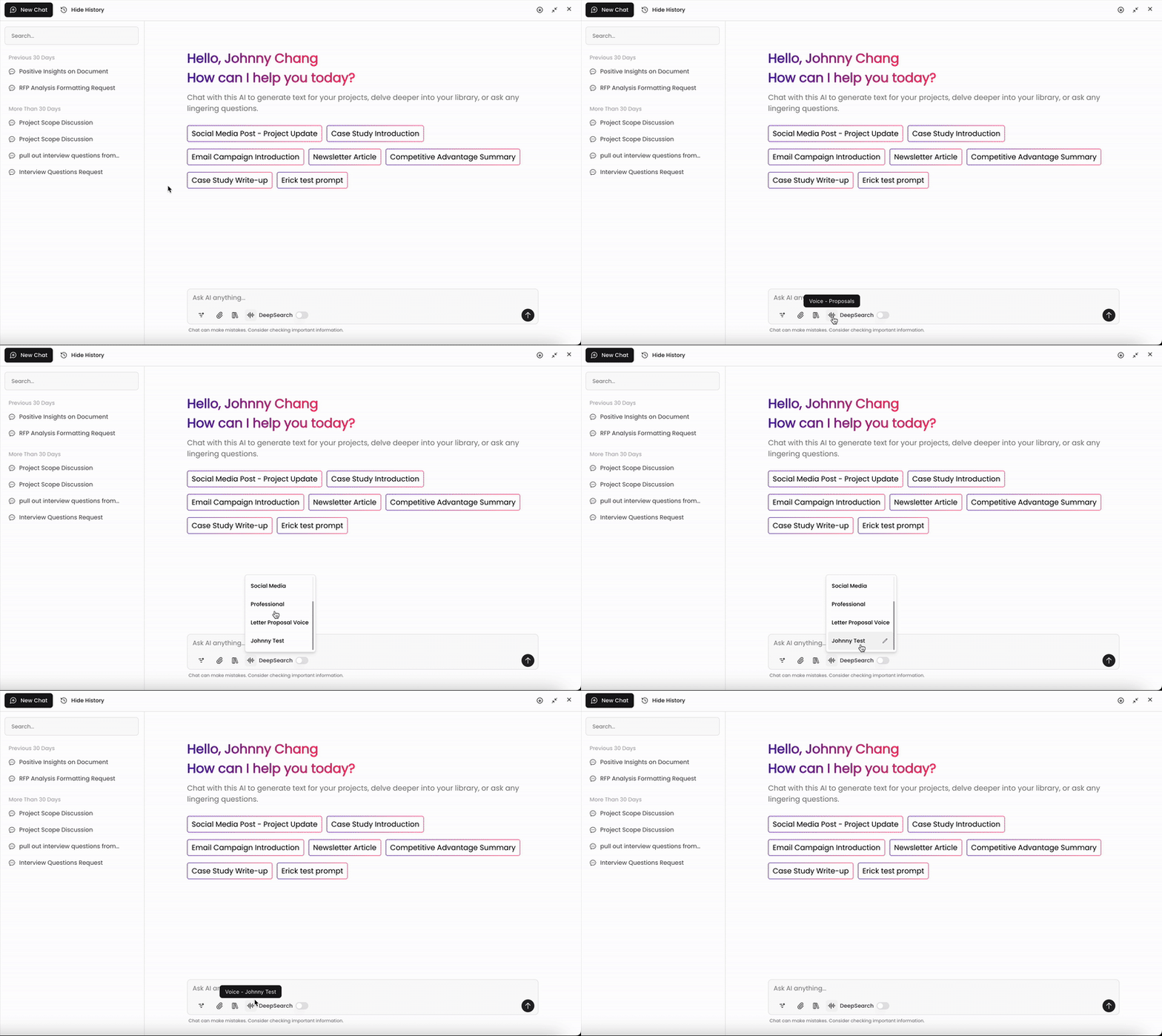
In Chat, click the Voice Profile icon at the bottom of the screen to select a profile. Kantiv will follow the guidelines and traits included to generate responses that match the chosen voice. If you have access to edit Voice Profiles, you can click the pencil icon to edit.
Brand Voice Examples
Below are examples of Voice Profiles with the traits and styles listed. You can set these up in your account to use for your Chat prompts and responses.
Proposal Voice
Traits: Professional, Trustworthy, Confident, Supportive, Persuasive
Perspective: Third Person
Style Guide: AP Style
Cover Letter Voice
Traits: Professional, Informative, Trustworthy, Confident, Empowering
Perspective: Third Person
Style Guide: Chicago Manual of Style
Resume Voice
Traits: Professional, Informative, Concise, Objective, Confident
Perspective: Third Person
Style Guide: Chicago Manual of Style
Social Media Voice
Traits: Funny, Witty, Playful, Motivating
Perspective: First Person
Style Guide: Chicago Manual of Style
General Brand Voice (Conversational)
Traits: Conversational, Friendly, Confident, Persuasive, Clever
Perspective: First or Third Person (users create both)
Style Guide: AP Style
Key Takeaways
Voices standardize communication by defining the tone, style, and personality that keep all content aligned with your brand identity.
They can be applied, edited, or set as defaults for drafts and Chat responses.
They make it easy to maintain consistency and clarity across all your communications.
You can always find more information on Search and Chat in our Support Center. Please send any questions or feedback to Support@Kantiv.com.