Knowledge Graph: Intro
Last updated: June 10, 2026
The Knowledge Graph in Kantiv is the intelligence layer that powers your firm’s institutional knowledge. As you upload proposals, resumes, and project documents, Kantiv automatically extracts, structures, and connects information across your People, Projects, Opportunities, and Companies—transforming static files into a living, searchable network of experience and relationships.
Rather than manually maintaining disconnected records, your firm’s knowledge is continuously enriched behind the scenes and organized into structured profiles that evolve over time.
The Knowledge Graph
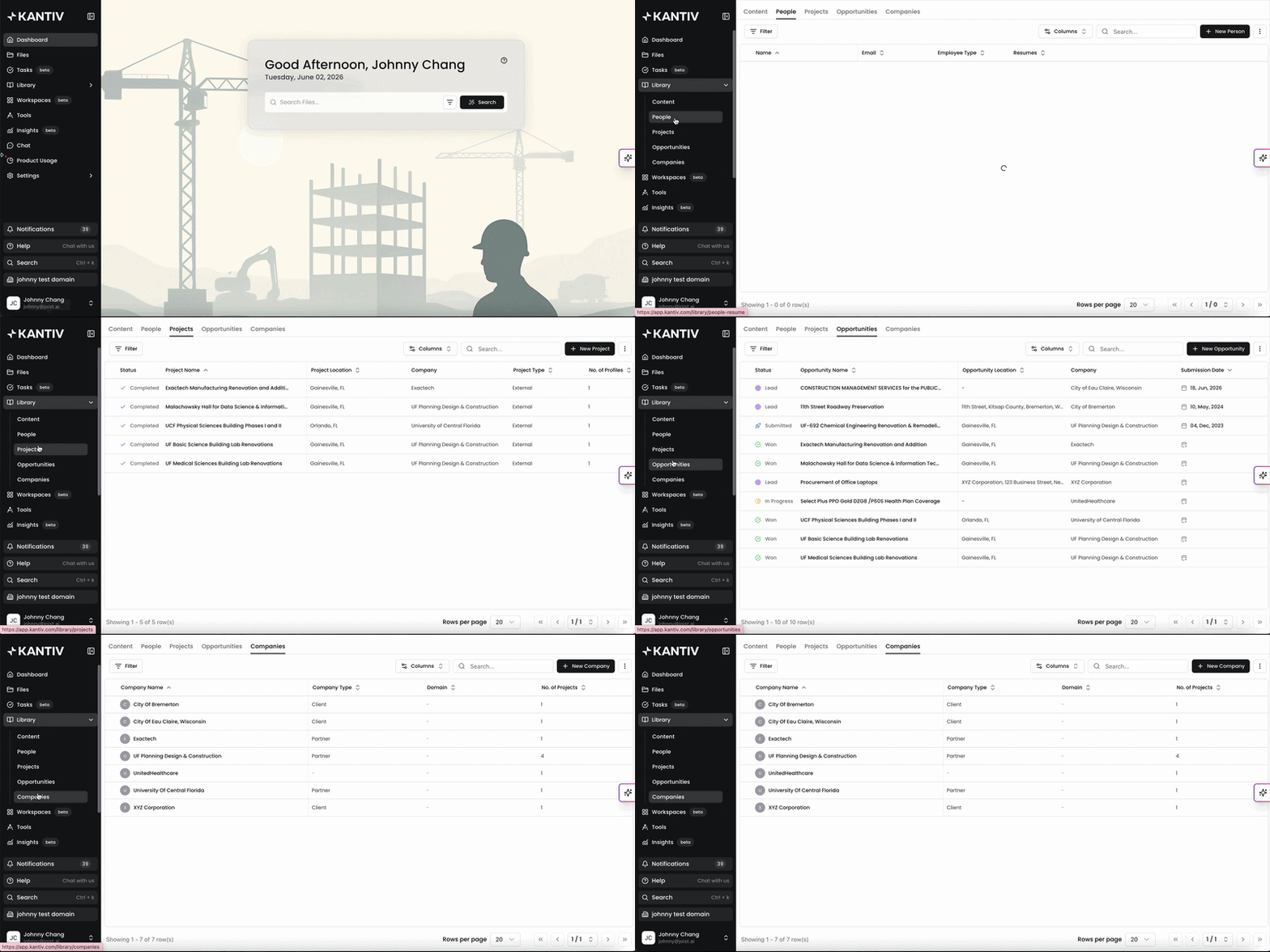
At its core, the Knowledge Graph is a contextual data system built from your firm’s proposal library. Every time you upload a proposal, resume, or project sheet, Kantiv analyzes the content and extracts key information—people, project details, company relationships, and opportunity requirements.
That information is organized into four interconnected categories:
People: Internal employees, external consultants, and partners with their resumes, skills, certifications, and project experience automatically extracted from uploaded proposals
Projects: Past work including project details, scope, location, cost, team members, and client information pulled from historical proposals and structured into searchable records
Opportunities: Current and past RFPs/RFQs with extracted requirements, deadlines, evaluation criteria, and compliance details
Companies: Clients, partners, and other organizations with relationship history and project connections
What makes the Knowledge Graph powerful is not just the profiles themselves—but the relationships between them. It understands which people worked on which projects, for which companies, and how those experiences connect to current opportunities. This creates a unified view of your firm’s expertise, performance history, and professional network.
The Project Lifecycle
In Kantiv, all work begins as an Opportunity. As its status changes to Won, In Progress, or Completed, it automatically transitions into a Project and becomes part of your firm’s portfolio. If it remains a Lead, Submitted, or Lost, it stays in Opportunities.
This lifecycle keeps your pipeline and your historical project experience clearly separated—without requiring duplicate entries or manual restructuring.
Exploring the Knowledge Graph
Each area of the Knowledge Graph—People, Projects, Opportunities, and Companies—has its own dedicated page within the Library. From there, you can explore structured profiles, review linked relationships, and analyze your firm’s experience from multiple angles.
Because all four areas are interconnected, viewing a single profile provides context across the entire system. A person links to their projects. A project links to its team and client. A company links to every pursuit and engagement in your history.
You can also connect records through Notes. By linking a note to one or more People, Projects, Opportunities, or Companies, either through the Linked Records panel or via @ mentions, that note becomes discoverable from each linked entity's Notes tab. This gives teams a lightweight way to capture context and connect it across the Knowledge Graph without duplicating information.
For detailed guidance on how to use each section, explore the dedicated articles below:
Knowledge Graph Best Practices
Upload high-quality source files: Add complete proposals, resumes, and project sheets so Kantiv can extract accurate people, project, and company data.
Maintain clean statuses: Keep project and opportunity statuses updated so items appear in the correct pages and your portfolio stays organized.
Use tags consistently: Apply clear, standardized tags to people, projects, and companies to make filtering and cross-referencing easier.
Review and consolidate duplicates: When multiple versions of a person or project appear, merge them to keep profiles accurate and searchable.
Leverage search, filters, and Quick Filters: Use sorting and saved filters to quickly surface the experience, profiles, and opportunities you need.
The Knowledge Graph turns scattered documents into strategic intelligence. It provides a centralized source of truth for your firm’s experience, relationships, and pursuit history—making it easier to respond to RFPs, showcase expertise, track performance trends, and make informed business decisions. Instead of searching through folders and past proposals, you gain structured, connected data that grows more valuable with every upload.
You can always find more information on Content Management in our Support Center. Please send any questions or feedback to Support@Kantiv.com.