Image Hub: Approvals, Ratings, and Credits
Last updated: June 2, 2026
Image Hub’s approvals, ratings, and credits features help your team maintain a high-quality, organized, and compliant image library. By identifying approved assets, highlighting top-performing visuals, and tracking image sources, your team can work more efficiently and confidently use the right images across proposals, presentations, and other materials.
What is marking approved material?
Marking an image as Approved means it has been reviewed and meets your organization’s standards for quality and brand compliance.
Approved images are ready for use, helping your team quickly identify trusted assets and maintain consistency across all materials.
How to Approve and Rate Images
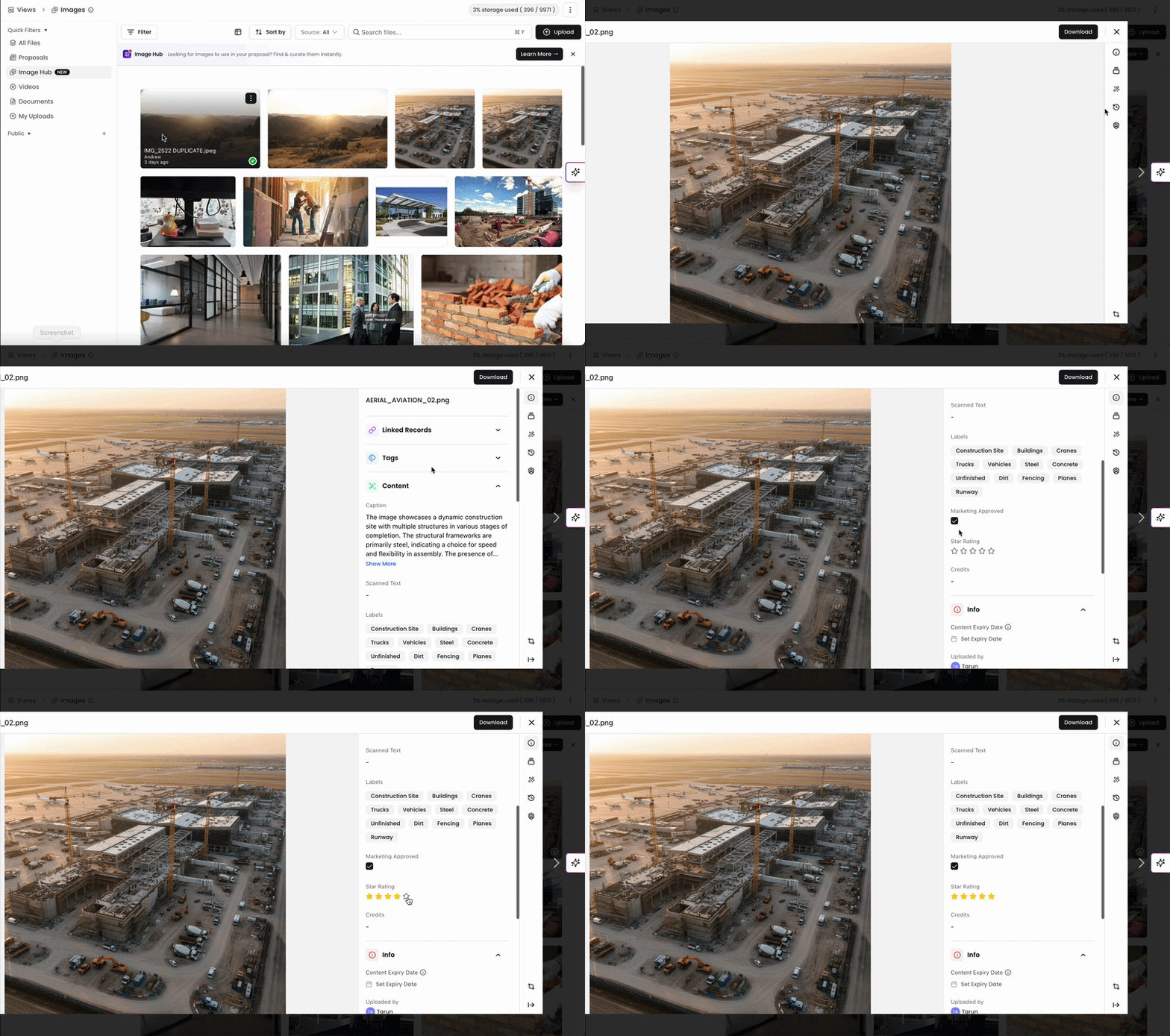
In Image Hub, Admins and Editors can mark images as Approved and assign star ratings on images. When viewing an image, under Content, you can mark an image as approved and rate an image from 1-5 stars.
Users should apply a 5 star rating to highlight a top quality, go-to asset that teammates can quickly identify among their images. Images with lower ratings should be used in more situational cases.
Add Credits

In Image Hub, you can assign credits such as a photographer, firm, or external source to any image. This makes it easy to identify ownership, give proper recognition, and stay compliant with licensing requirements.
When viewing an image, Admins and Editors can add credits at the bottom of the Content section.
Approvals, ratings, and credits give your team clear control over which images are used and how they’re presented. By marking approved assets, highlighting top-quality visuals, and tracking sources, you improve consistency, reduce guesswork, and maintain proper attribution across all your work.
You can always find more information on Content Management in our Support Center. Please send any questions or feedback to Support@Kantiv.com.