Image Hub – Storage Limits and File Management
Last updated: June 2, 2026
Image Hub includes built-in storage management tools to help you track usage and maintain your image library over time. With clear limits, real-time indicators, and lifecycle controls, your team can avoid disruptions, manage capacity proactively, and keep assets organized and up to date.
Storage Limits
Each domain in Image Hub has a defined storage capacity:
Default limit: 100GB per domain
Once this limit is reached, new uploads are restricted until space is freed up
Users can free up space by removing unused or expired images, or work with their team to manage overall storage usage.
If your team consistently requires more space, you can reach out to your Customer Success Manager to discuss increasing your storage limit based on your needs.
Storage indicator
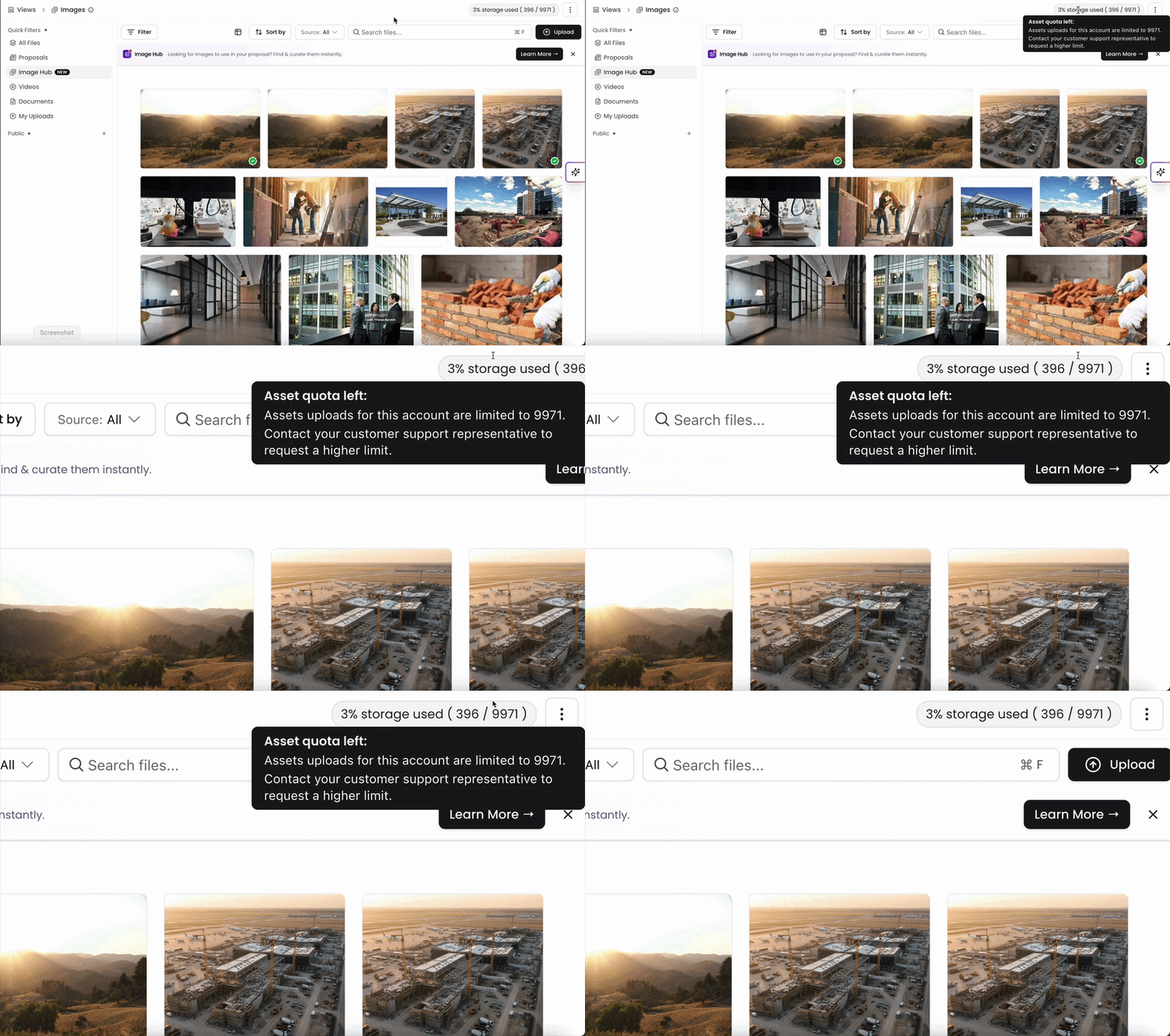
The storage indicator in the top-right corner shows real-time usage of your storage capacity.
This visual meter is color-coded to help you quickly understand your current usage level:
Grey: Less than 50% used (healthy range)
Orange: 50–80% used (approaching limit)
Red: Above 80% used (action recommended)
Checking this regularly helps prevent unexpected upload restrictions and keeps your team ahead of storage limits.
Upload buffer
Image Hub includes a small buffer to prevent interruptions during large uploads:
You can temporarily exceed your storage limit by up to 5%
This allows bulk uploads to complete without failing mid-process
Once the buffer is exceeded, additional uploads will be blocked until storage is reduced below the limit.
Manage image lifecycle
To help prevent outdated assets from accumulating, Image Hub provides tools to manage the lifecycle of your images:
You can:
Set expiry dates to automatically phase out outdated content
Receive notifications before images expire
Extend expiry dates individually or in bulk
Using lifecycle controls helps keep your library relevant and ensures teams can easily find and use the most up-to-date assets.
Image Hub’s storage and lifecycle tools help your team manage capacity, avoid disruptions, and keep your image library organized. With clear storage limits, real-time usage indicators, a small upload buffer, and expiry controls, you can stay ahead of limits and keep your assets current and easy to manage.
You can always find more information on Content Management in our Support Center. Please send any questions or feedback to Support@Kantiv.com.