Tasks Overview
Last updated: June 3, 2026
The Tasks feature in Kantiv makes it easy to organize, assign, and track work across your team. With flexible options for creating, sorting, grouping, and filtering Tasks, you can manage projects efficiently and keep everyone aligned. Each Task includes key details like status, assignee, due date, and Workspace association—giving you a clear overview of progress and priorities at every stage.
Accessing Tasks Menu
You can access your Tasks by clicking Tasks on the left hand menu.
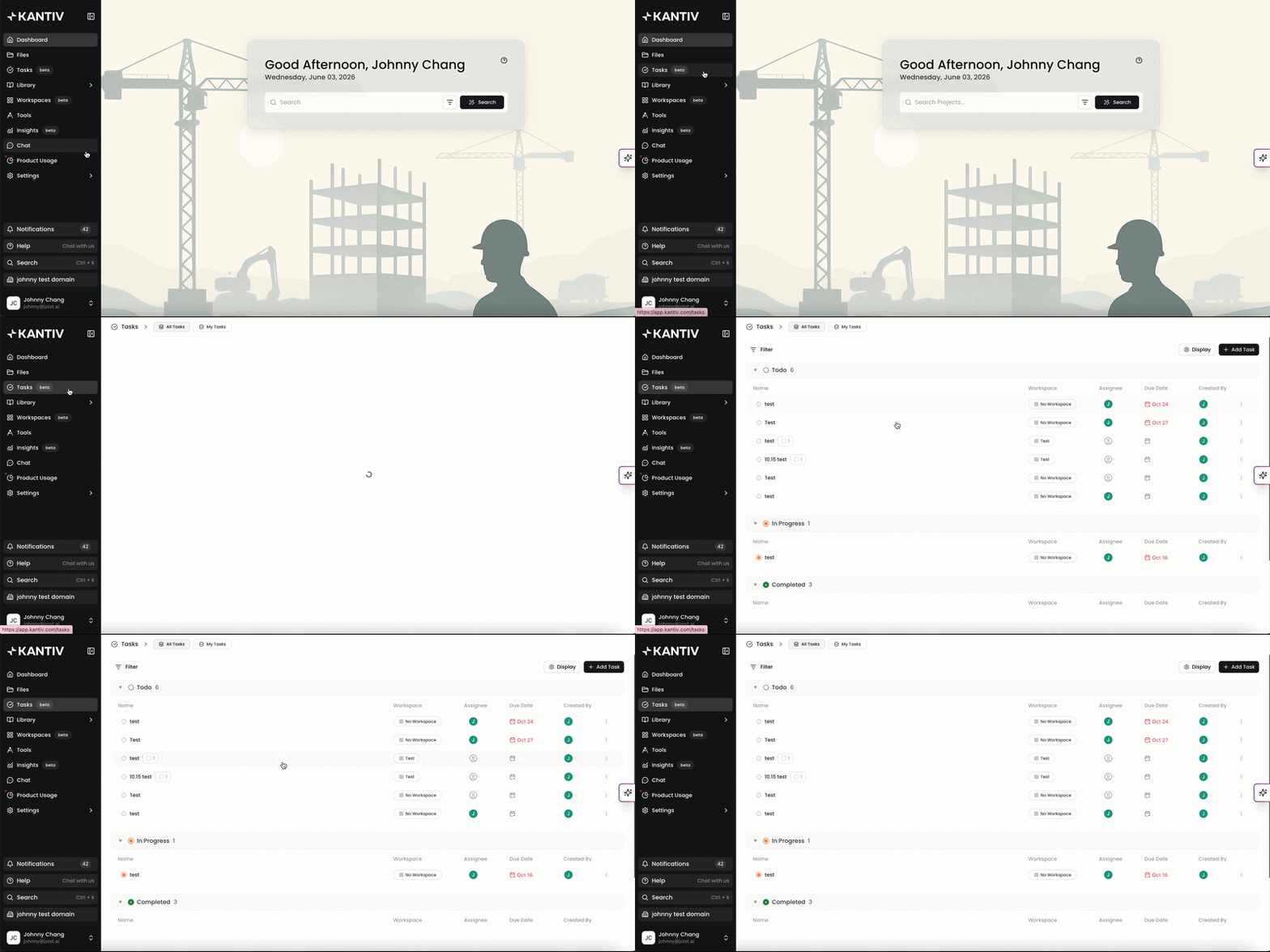
Alternatively, you can use this link to access your tasks.
Task Components
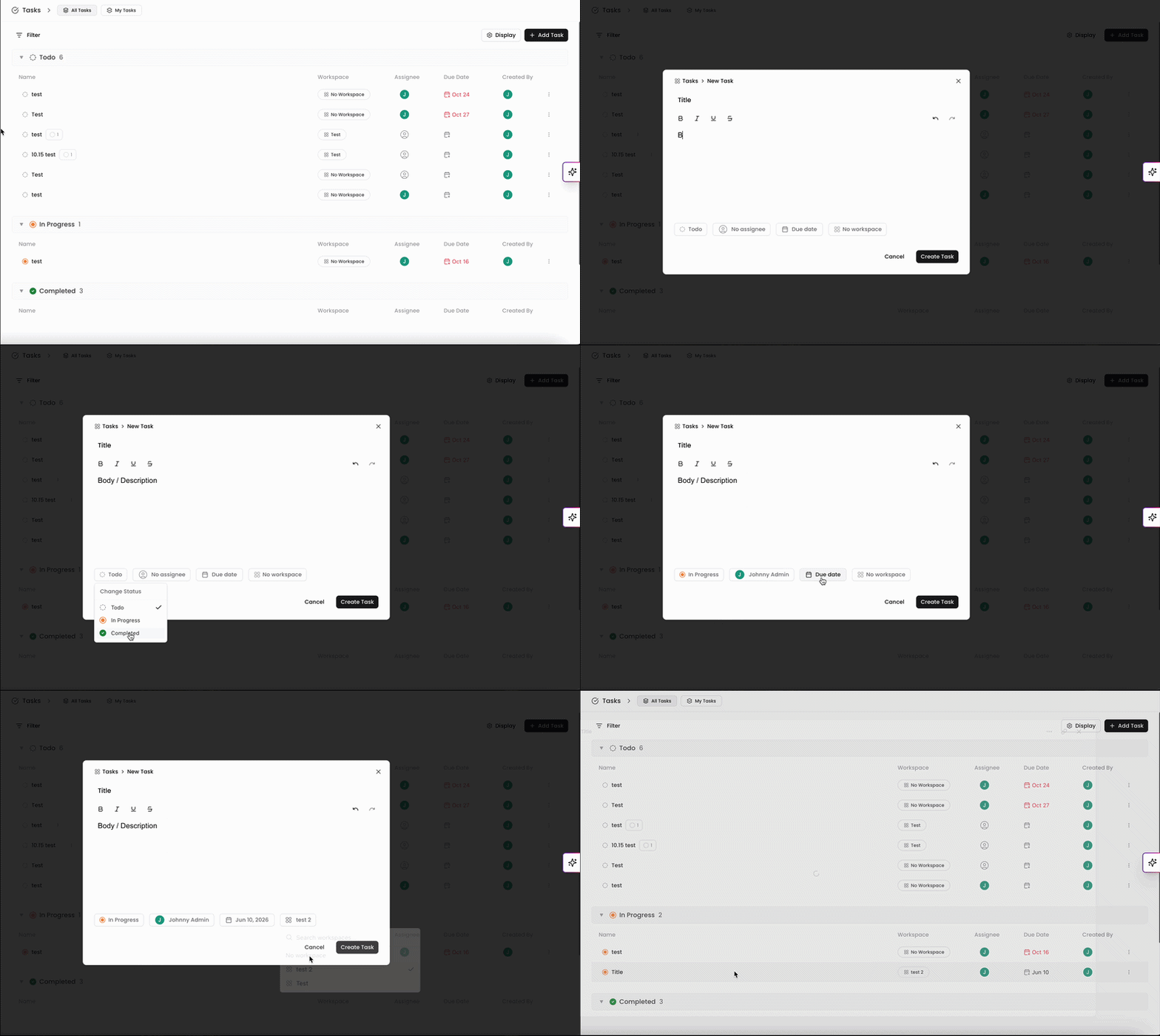
A Task is composed of three sections: the title, the body/description, and the statuses and filters.
Title: One-liner describing the Task that needs to be completed.
Body/Description: More details regarding the Task that needs to be completed.
Statuses and Fields: Categorize the Task based on the completion status, assignee, due date, and workspace. More information on Statuses and Fields can be found in this article.
More Articles
You can always find more information on Tasks in our Support Center. Please send any questions or feedback to Support@Kantiv.com.