Collaborating on Drafts
Last updated: July 15, 2026
As of July 2026, Kantiv has released a new version of Workspaces and Document Analysis. This article covers the legacy version of Workspaces and articles covering the new version can be found in this collection.
Collaborating on drafts in Kantiv makes it easy for teams to work together seamlessly, whether they’re editing in real time or reviewing asynchronously. With built-in formatting tools, live collaborative editing, and a flexible commenting system, Workspaces provide everything you need to refine content, share feedback, and maintain alignment across your team. These features help streamline communication, reduce version-control headaches, and keep your drafting process efficient and organized.
Font and Formatting
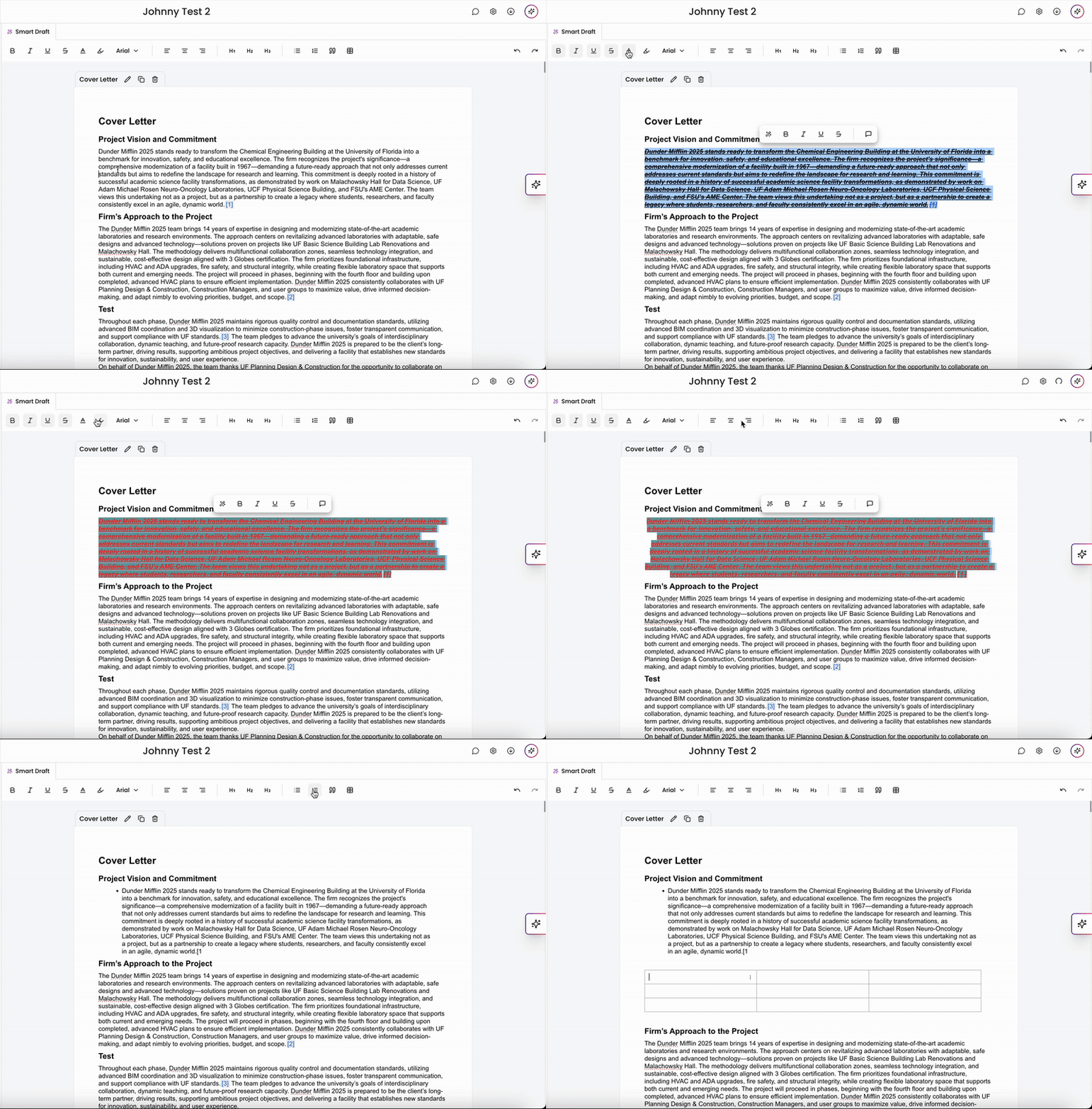
As with most word processing platforms, Kantiv provides standard formatting options for your draft. You can apply different fonts, effects, and colors to your text, as well as scale and format your text with headers and lists to your liking. You can also undo and redo edits by clicking the arrows on the top right.Commenting
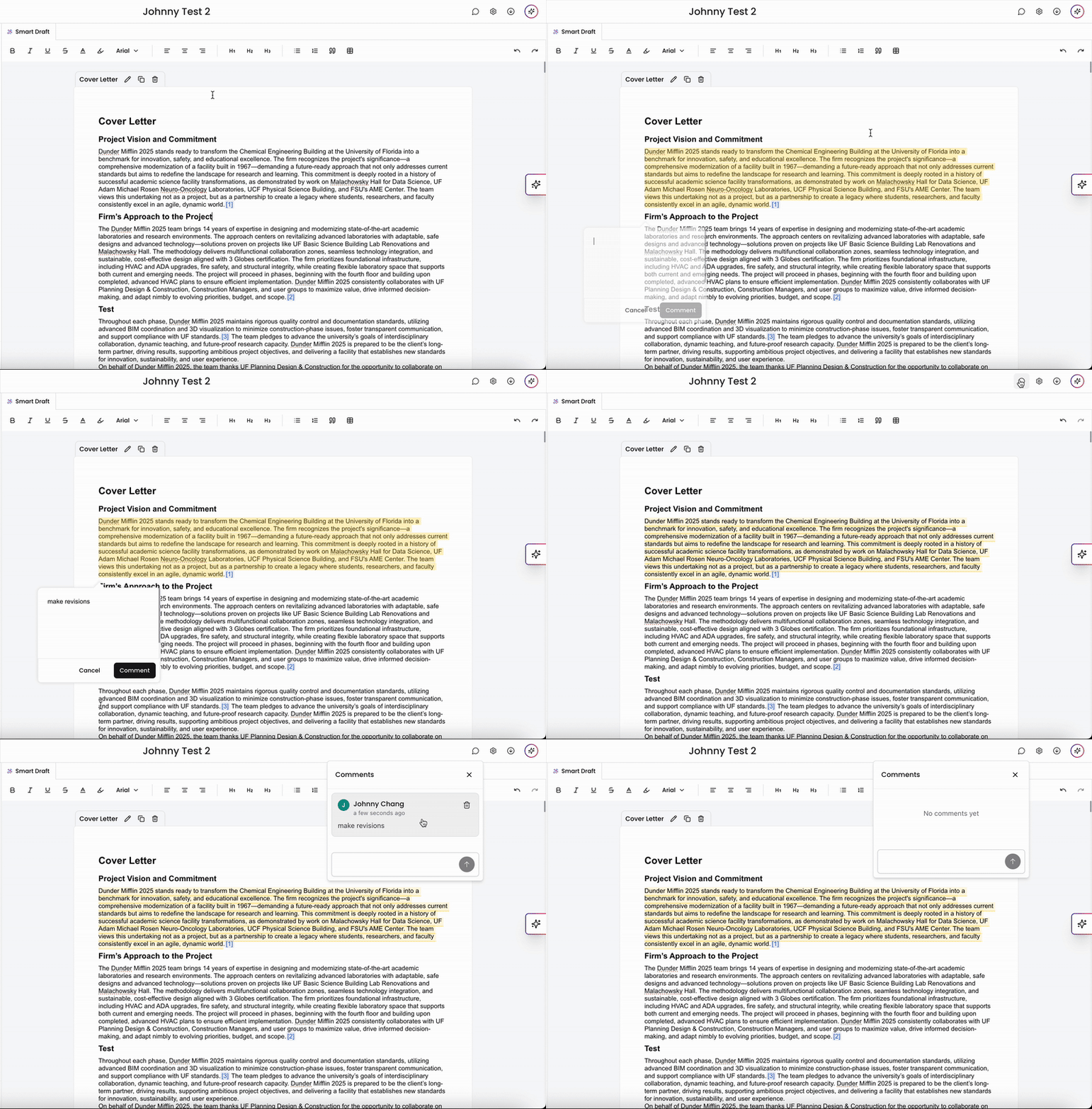
To help your team collaborate asynchronously, you can add comments within a draft. You can leave comments on your draft as a whole or on blocks of text to draw attention to specific parts of your document. Click the comments button on the top right to add, view, and resolve comments.
Collaborative Editing
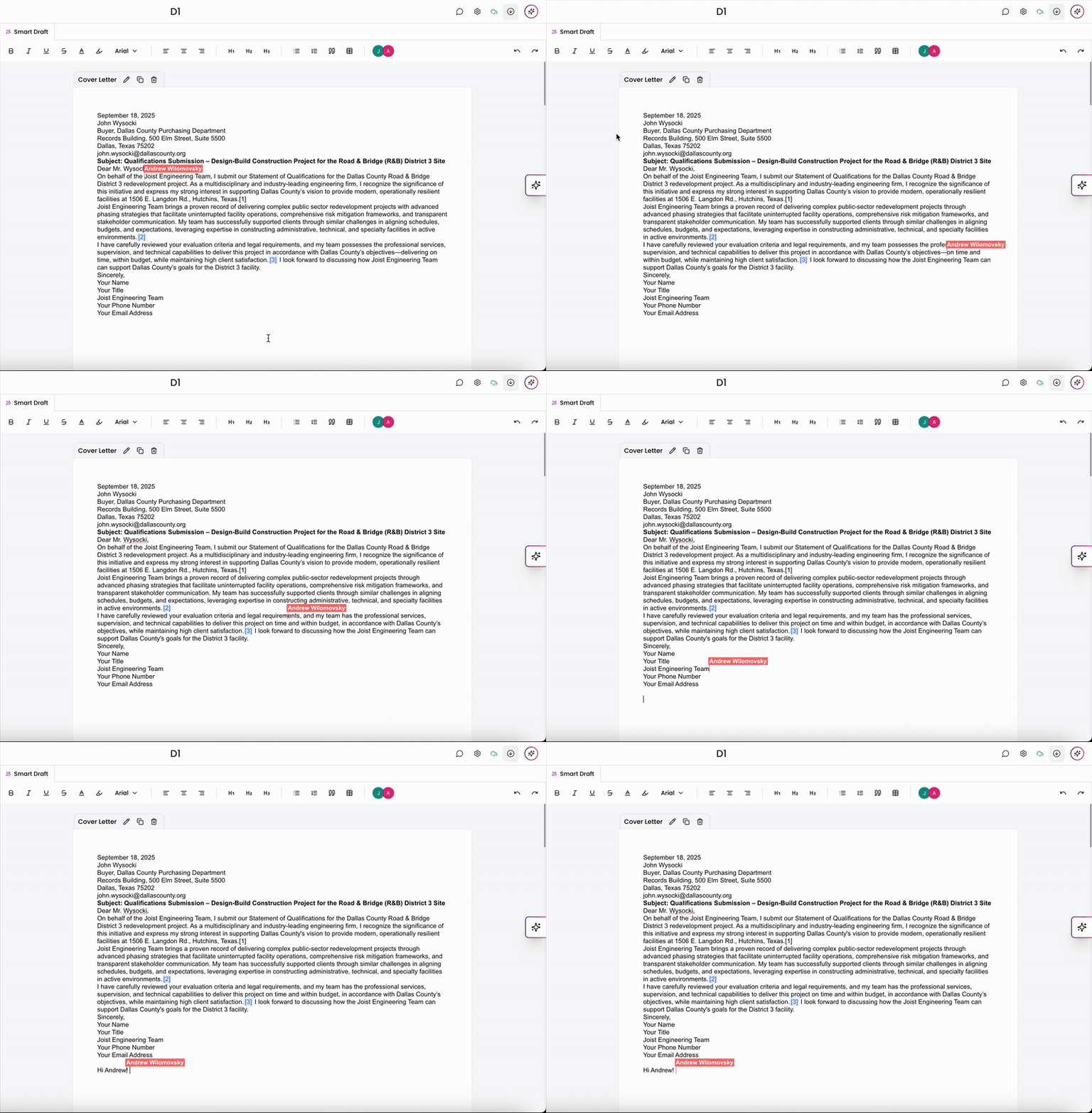
Collaborative editing within workspaces allows multiple users to work on the same document or project simultaneously. This feature ensures real-time updates, enabling team members to see changes as they happen and contribute effectively. By fostering seamless communication and reducing version control issues, collaborative editing enhances productivity and ensures that everyone stays aligned on shared goals.
Together, Kantiv’s formatting tools, real-time collaboration, and commenting features create a streamlined environment for teamwork. Whether you're co-editing a draft, sharing feedback, or polishing content, these tools help your team stay aligned and productive. With everything centralized in Workspaces, collaborating on high-quality drafts becomes faster, clearer, and more efficient.
You can always find more information on Workspaces in our Support Center. Please send any questions or feedback to Support@Kantiv.com.