Exporting Workspaces
Last updated: July 15, 2026
As of July 2026, Kantiv has released a new version of Workspaces and Document Analysis. This article covers the legacy version of Workspaces and articles covering the new version can be found in this collection.
Exporting your work from a Workspace in Kantiv is quick and flexible, giving you full control over how you save and share your content. Whether you want to download an individual draft in a polished format or export the entire Workspace for collaboration or record-keeping, Kantiv provides simple export options to fit your workflow. This guide walks you through how to export drafts and full Workspaces with ease
Export Draft
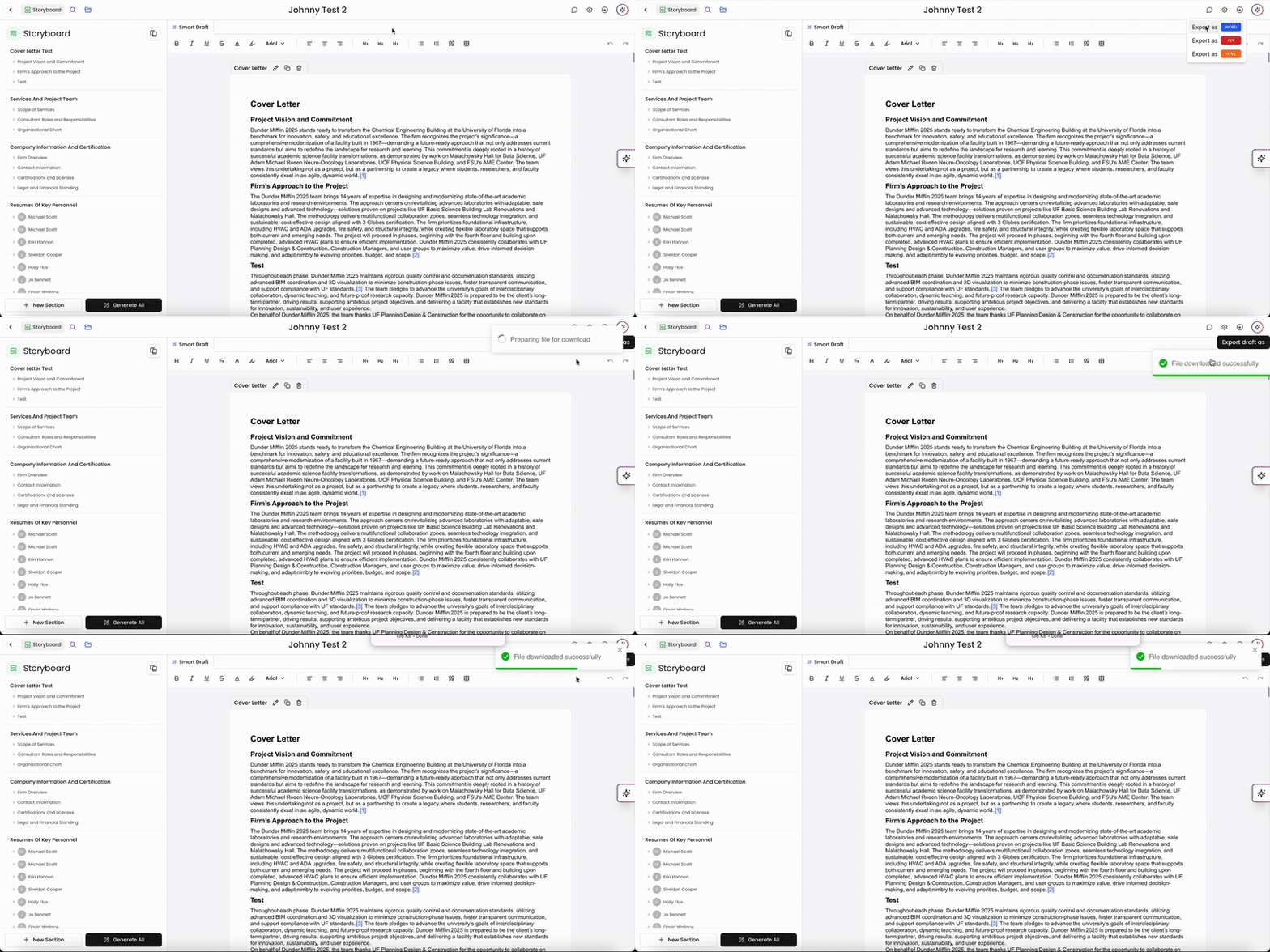
When you're ready to download your draft from your Workspace, you can easily do so by clicking on the Export Draft As button on the top right. Currently, you can export the file as a DOCX, PDF, or HTML file.
Export Workspace
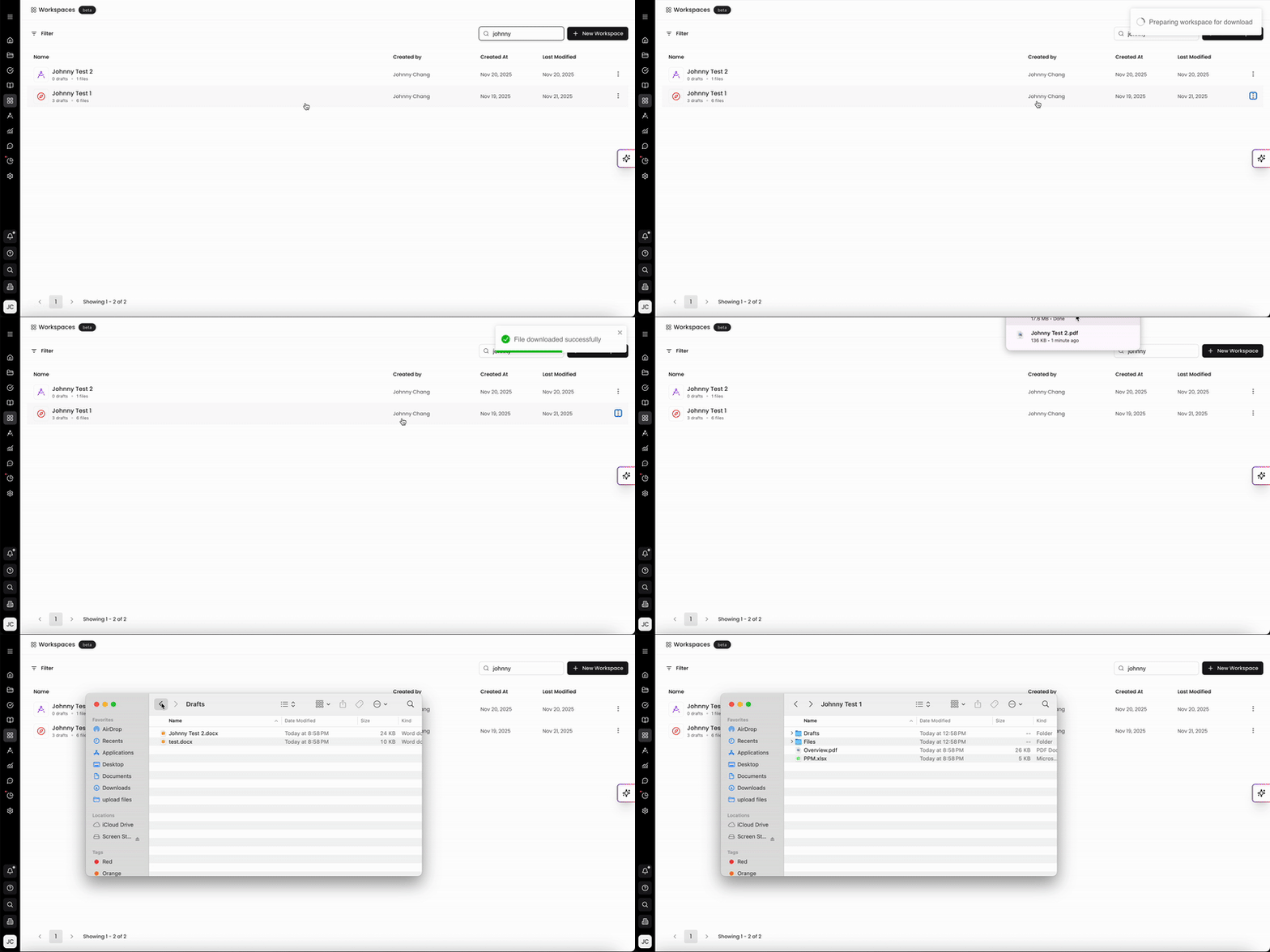
You can also export the whole Workspace at once. This will be saved as a ZIP file titled with the Workspace name. The ZIP file includes the Workspace overview, all files, and all drafts within the Workspace.
Exporting drafts and full Workspaces in Kantiv gives you a streamlined way to share, store, and finalize your proposal materials. You can download individual drafts in multiple formats or export the entire Workspace—including files, drafts, and the overview—into a single ZIP package for easy distribution and archiving. These export tools ensure your work is organized, portable, and ready for any next step in your workflow.
You can always find more information on Workspaces in our Support Center. Please send any questions or feedback to Support@Kantiv.com.