Unlocking RFx insights
Last updated: June 2, 2026
RFx Insights in Kantiv streamline how teams review and understand complex RFPs and RFQs. Instead of manually combing through long documents, Kantiv automatically extracts key details, deadlines, and requirements into a structured, easy-to-digest report. This tool empowers proposal teams to work faster, stay organized, and focus on crafting winning responses.
Uploading a new RFx
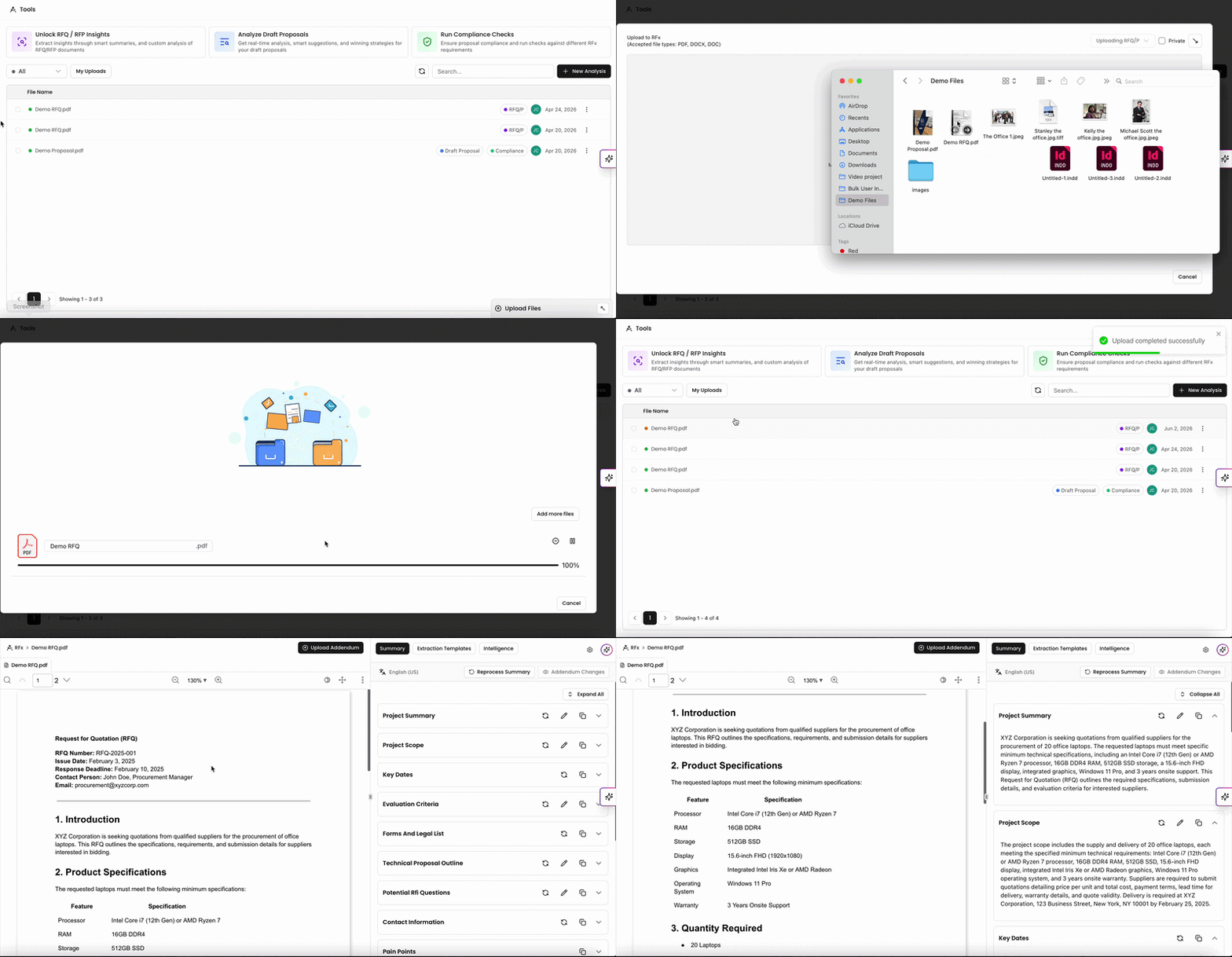
On the Tools page, click Unlock RFQ/RFP Insights to open the upload window. You can upload the file from your device or use one of the other sources to upload your RFx file.
Accepted file types include PDF, DOCX, or DOC.
Most files take a few minutes to fully process, but times can vary depending on file size.
Once the file has been uploaded, our AI will process and generate a report with the insights which can be viewed once completed.
You'll see the newly uploaded file in the files list with RFx tagged on the right hand side next to the upload date. While it's still processing, the progress button will be yellow and will turn green once completed. You should receive a notification once it's ready to review.
Understanding your RFx Insights
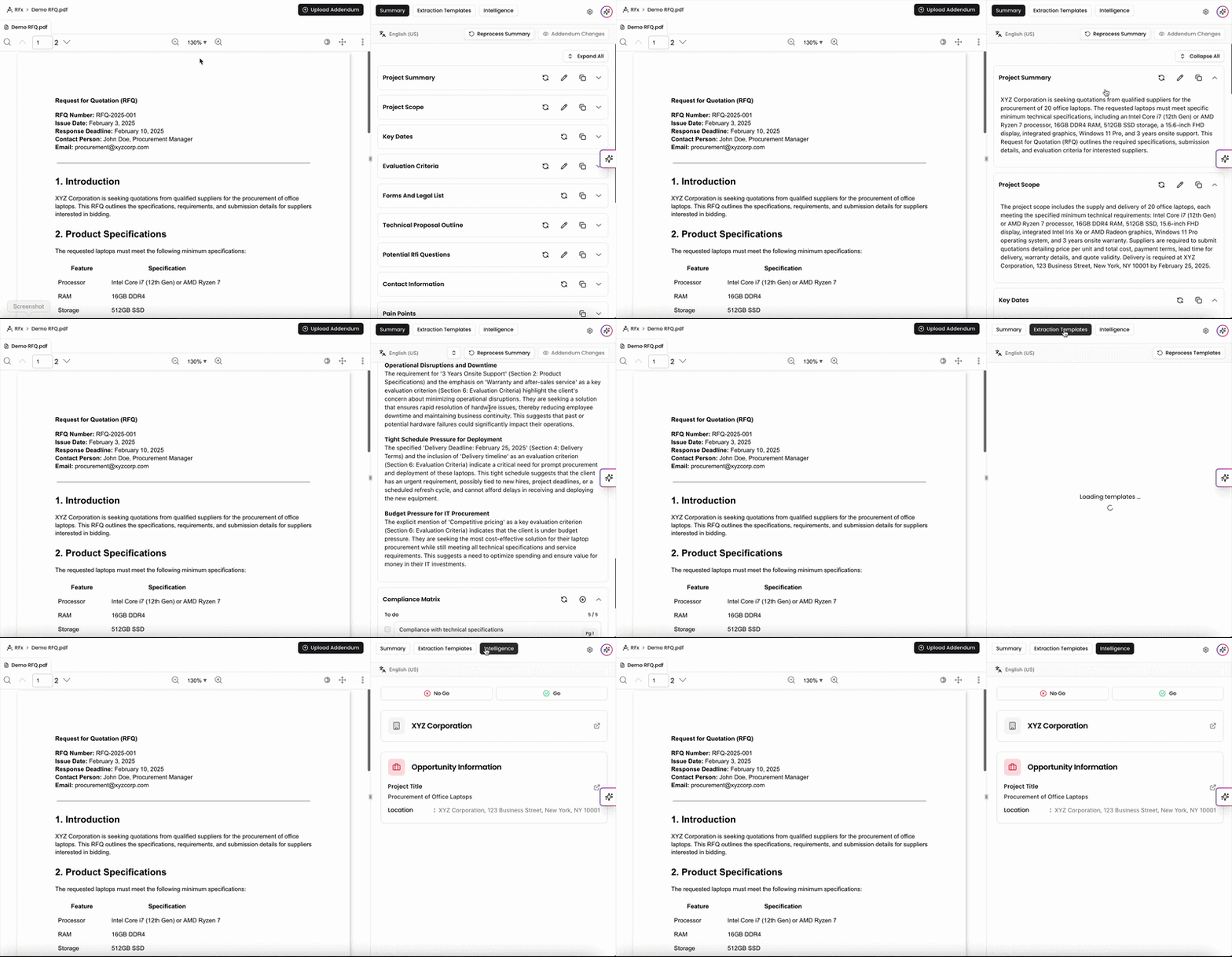
When your RFx is done processing, you can click on it to view insights on the file. RFx insights are broken down into three sections: Summary, Templates, and Intelligence.
RFx Summaries provide a built in and detailed analysis of the project, deadlines, and requirements to consider when drafting your proposal.
RFx Templates utilize Extraction Templates on your account to run the RFx insights by and extract specific and personalized information from the file.
RFx Intelligence maps the data from the RFx insights and connects them to other data points within your library.
RFx Summary
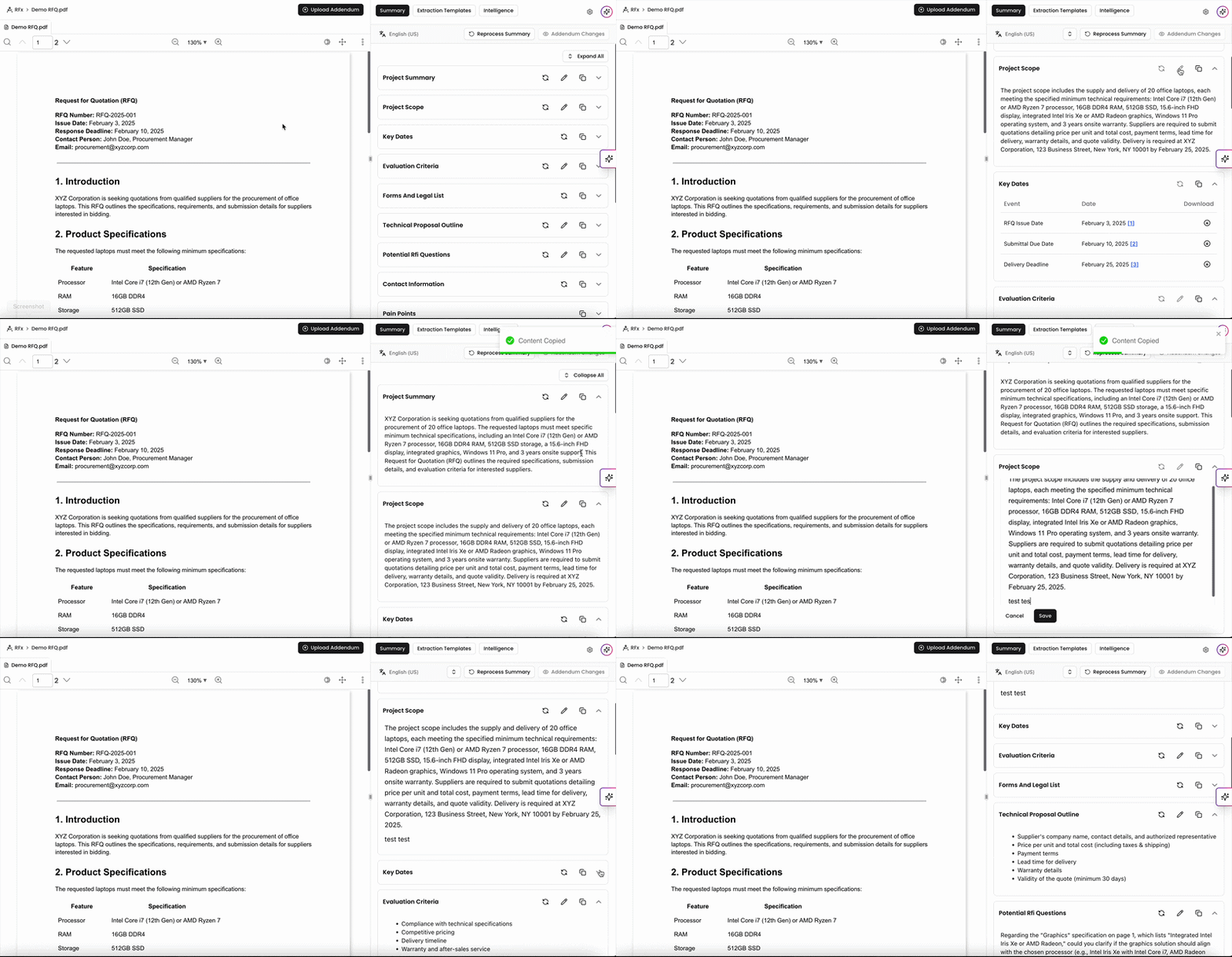
Our AI processes the file to generate an RFx Summary and formats the insights within different key sections. These sections include:
Project Summary
Project Scope
Key Dates
Evaluation Criteria
Forms and Legal List
Technical Proposal Outline
Potential RFI Questions
Contact Information
Pain Points
Submission Deadline
Compliance Matrix
Depending on the file contents, you may not see all sections in this list. Our system will attempt to generate the insights and place them into these categories as applicable.
Within each section, you can refresh, copy, edit, and/or download the insights listed.
RFx Templates
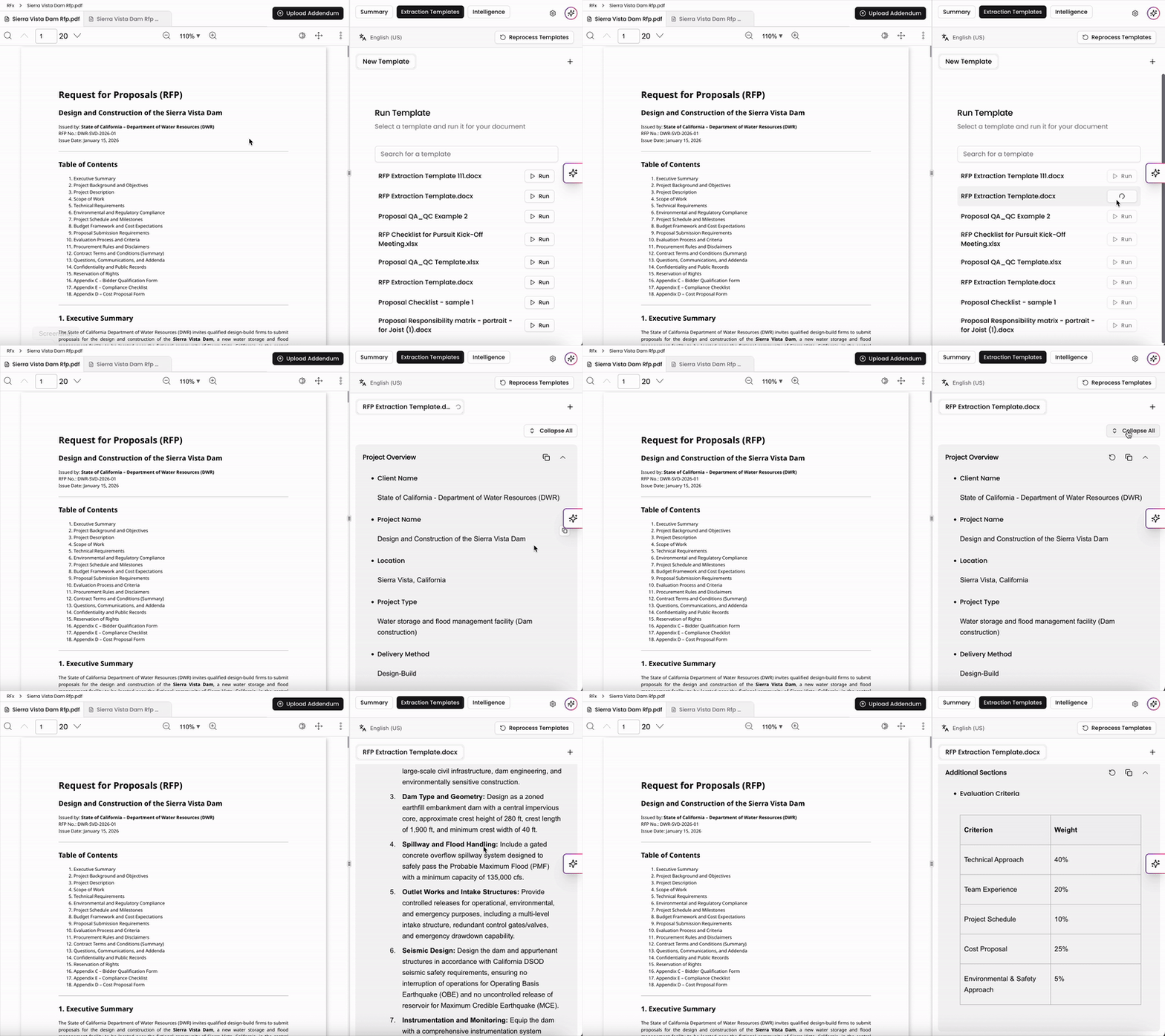
If you have Extraction Templates set up in your account, you can run your RFx insights against it to extract specific information according to the template. This is a great way to personalize your insights and pull more specific information from your RFx analysis in addition to the built in report.
For more information on Extraction Templates and how to add them onto your account, check out this article.
📄 Building and Running Extraction Templates
RFx Intelligence
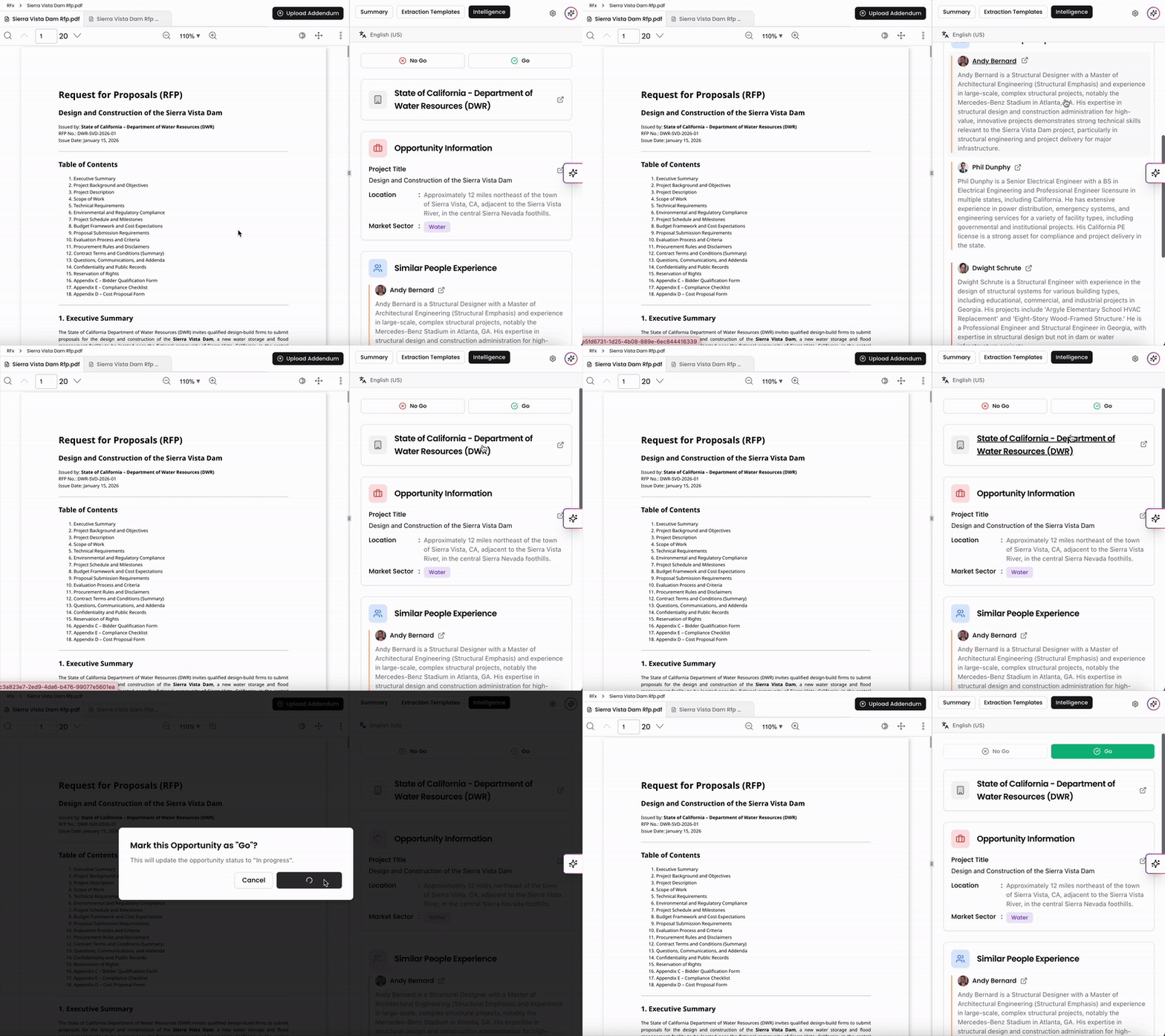
RFx Intelligence can be used to capture and link to opportunities and people in your library. Here, you can use the Go/No Go feature to update the status of the opportunity directly.
Selecting No Go will update the opportunity status to Closed.
Selecting Go will update the opportunity status to In Progress.
You can easily navigate to related items directly from this view. Click the Company below the Go/No Go option to open the Company Page. You can also click the Opportunity below to access its Opportunity Page.
If there are existing projects with data similar to the RFx you’re viewing, RFx Intelligence will display them with a summary of their similarities. Likewise, any people in your library with relevant project experience will appear here with brief summaries, and you can click their names to view their profiles.
RFx Actions
Sharing RFx Insights
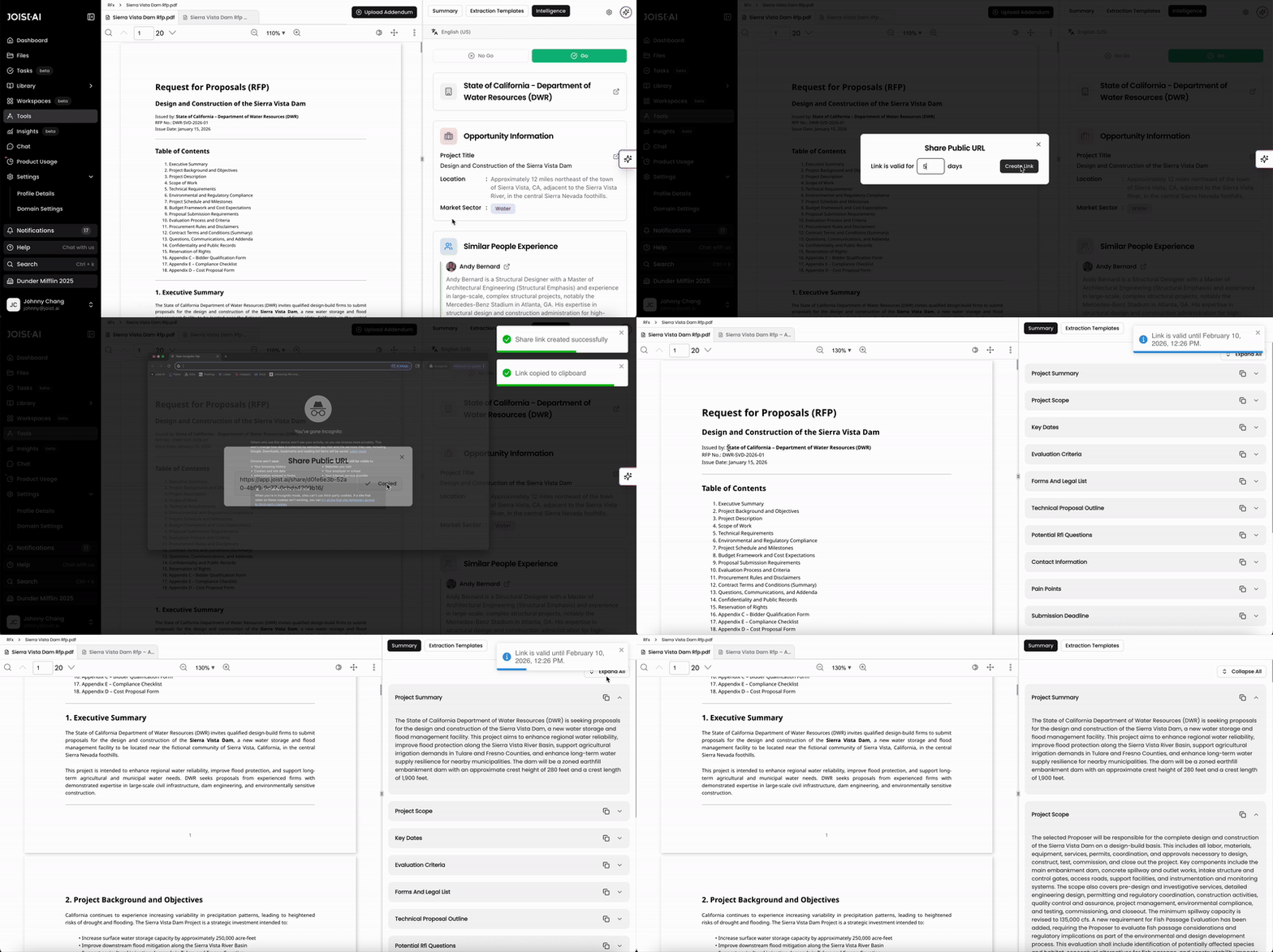
Sharing RFx insights with others is easy and efficient within the Kantiv platform. You can share the summary generated as well as any templates that the RFx has been run against. To generate and share a link to the insights:
Click the Share button on the top right when viewing the RFx insights.
Set the number of days for the link to stay active and click Create Link.
The link is set to 1 day by default.
The link will generate and you can copy it to send out to others.
Key things to note:
Once the number of days set for the link to stay active has passed, the link will expire and you will have to regenerate a new link.
Access to the RFx analysis via this link is set to view-only. Viewers will not be able to make edits onto the analysis.
Please note that you don't have to be a Kantiv user to use the link and access the insights.
Marking RFx Insights as Private
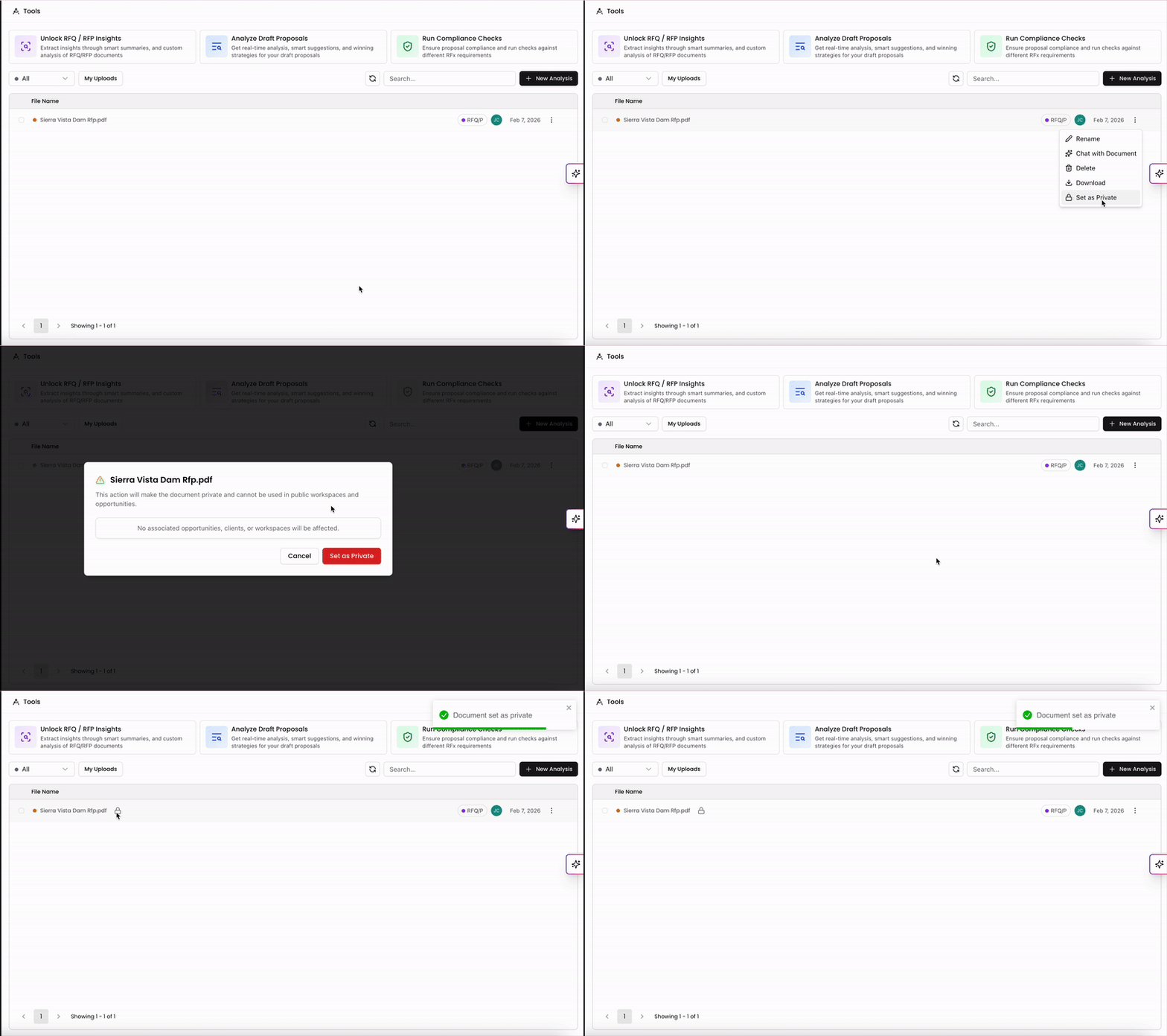
Users can mark an RFx as private which makes it only visible and accessible to the uploader unless access is shared. This can be toggled at multiple points in the workflow:
Before uploading the file from the uploader screen.
After upload from the Tools list page using the three-dot menu.
Within the RFx viewer using the settings button.
An RFx file marked as private will display a lock icon both on the list page and next to the file name when viewing the file.
Please note that when an RFx is marked as private:
All related files are removed from Library and Workspaces, and any associated addenda are also set to private.
Private RFx do not create opportunities in your Library, and as a result, opportunity details are not displayed in the Intelligence tab.
Compliance cannot be run on private RFx.
Only the original uploader can change an RFx’s privacy setting, and if a private RFx is later set to public, it will be reprocessed and an opportunity will be created for it.
The uploader can share a private RFx with others in the domain internally or create a public link to share externally using the steps to share RFx insights listed above.
Reprocessing existing RFx Insights
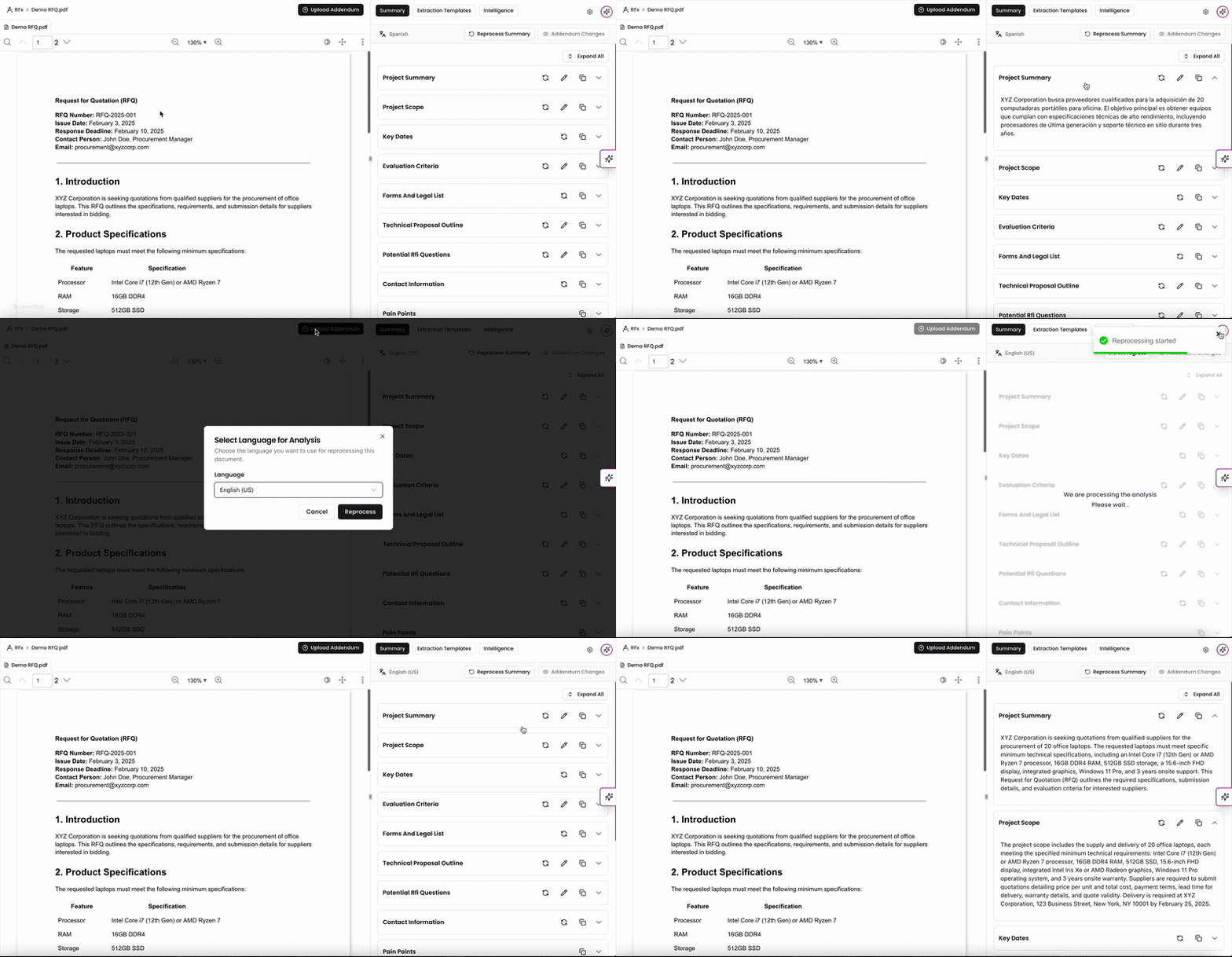
If for any reason you need to redo the processing step from the RFx, you can click Reprocess on the top right to reprocess the RFx file. Here, you can also generate RFx insights in a different language if needed too.
Please note that this will overwrite your existing analysis and replace it with a newly generated version.
Why Use RFx Insights?
RFx Insights help proposal teams quickly understand and act on complex solicitation documents without having to manually sift through every detail. By automatically summarizing project scope, key dates, evaluation criteria, and compliance requirements, Kantiv transforms lengthy RFPs and RFQs into clear, actionable intelligence.
Save time by instantly surfacing the most relevant information.
Improve accuracy with structured summaries and compliance matrices.
Enhance collaboration by sharing insights and templates across teams.
Strengthen strategy by identifying opportunities, related projects, and key contacts directly from your library.
With Kantiv’s RFx Insights, your team can move from reading to responding faster—ensuring every proposal starts with a solid foundation of understanding and alignment.
You can always find more information on Tools and Document Analysis in our Support Center. Please send any questions or feedback to Support@Kantiv.com.