Tools Overview
Last updated: June 2, 2026
The Tools page in Kantiv is your central hub for document analysis and proposal insights. From unlocking key takeaways in RFQs and RFPs to evaluating draft proposals and running compliance checks, this page helps streamline your proposal process with AI-powered precision. In this article, you’ll learn how to access the Tools page, start new analyses, and manage existing ones efficiently.
Accessing the Tools Page
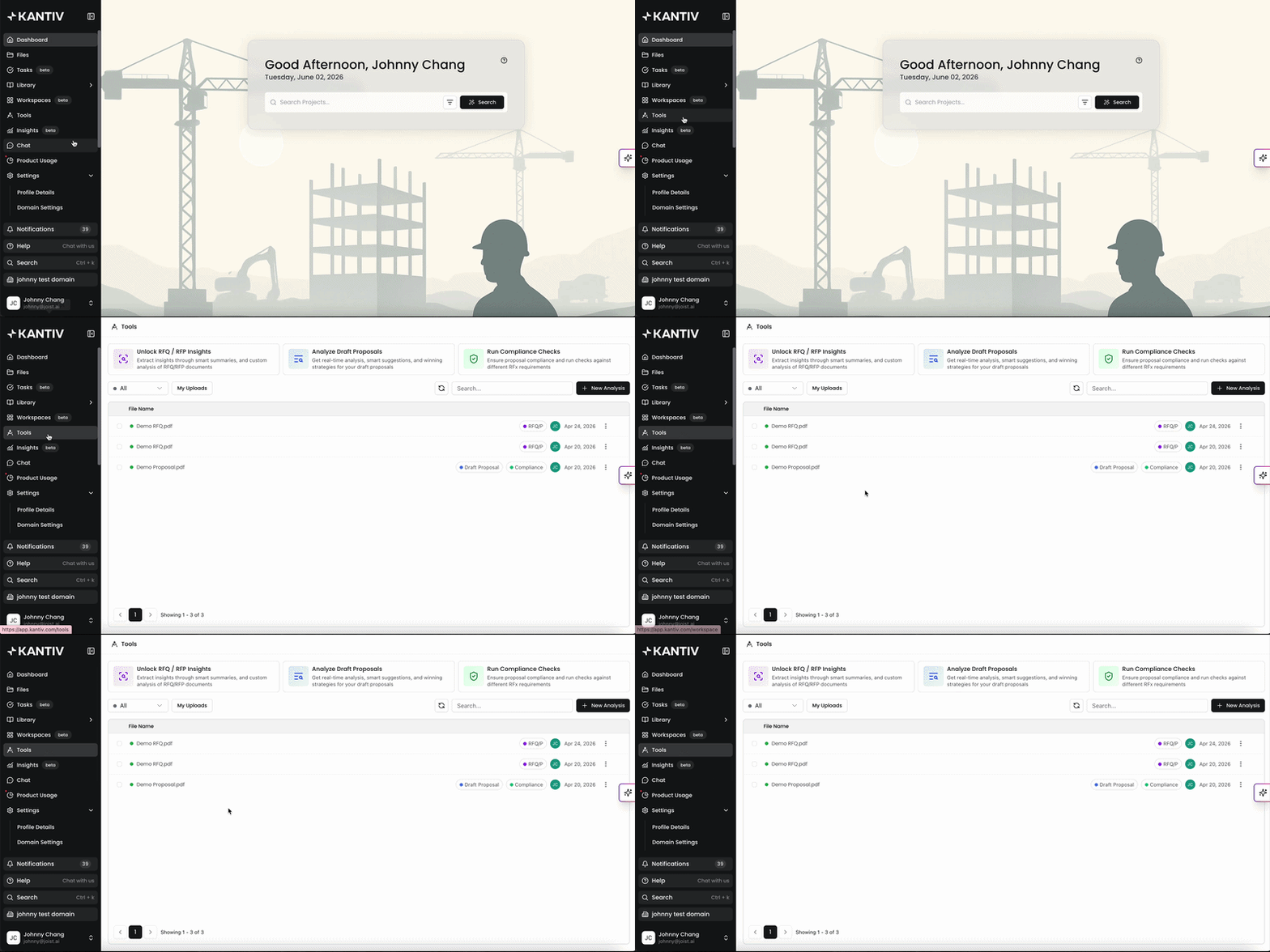
To access the Tools page, click on Tools in the left hand menu of the Kantiv platform. Alternatively, you can click here to navigate directly.
Start a New Analysis
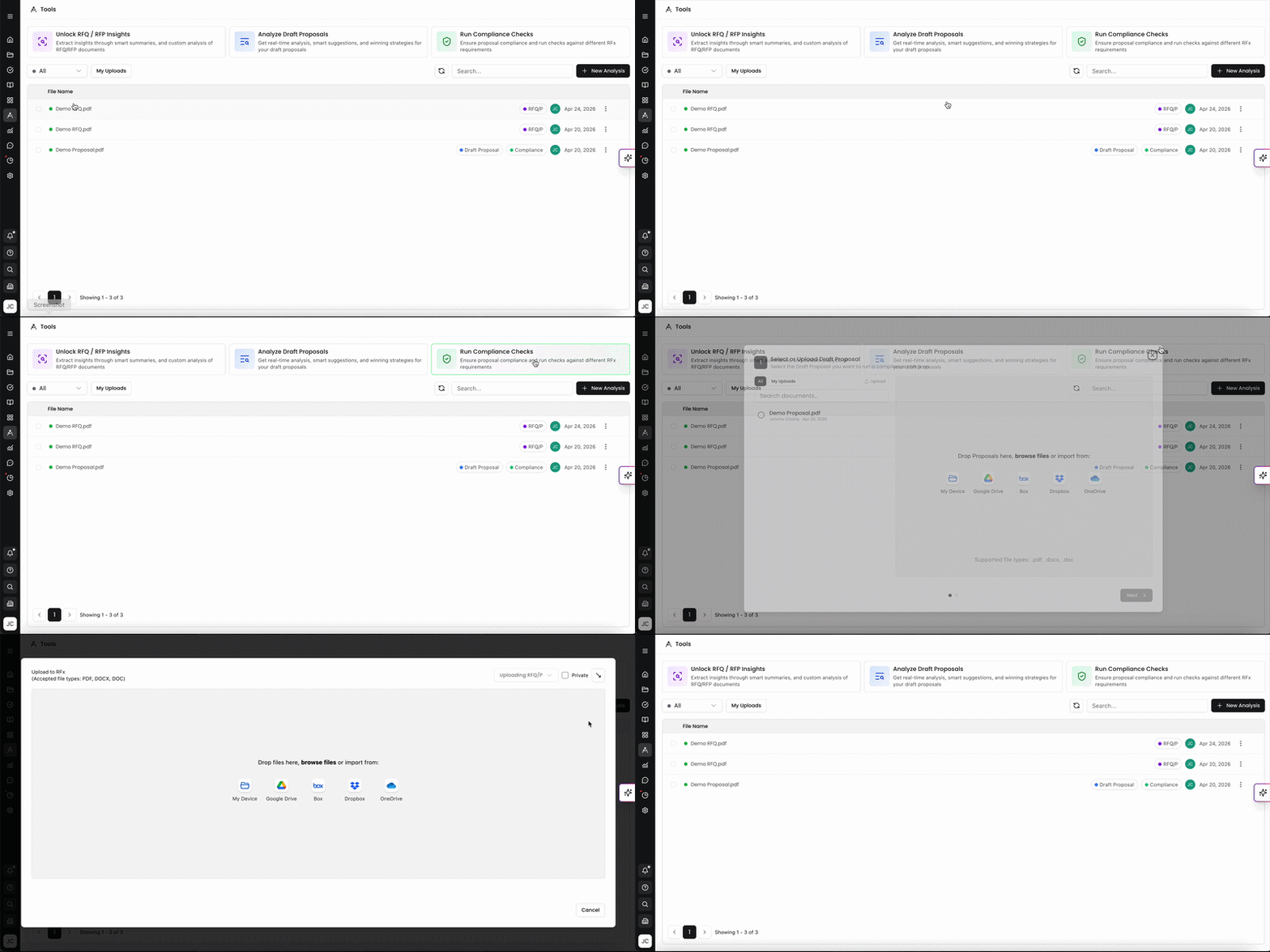
In the Tools page, you can Unlock RFQ/RFP Insights, Analyze Draft Proposals, and Run Compliance Checks easily by clicking on any of the three options at the top of the page. You can also click on +New Analysis on the top right to select one of the three options as well.
Unlock RFQ/RFP Insights
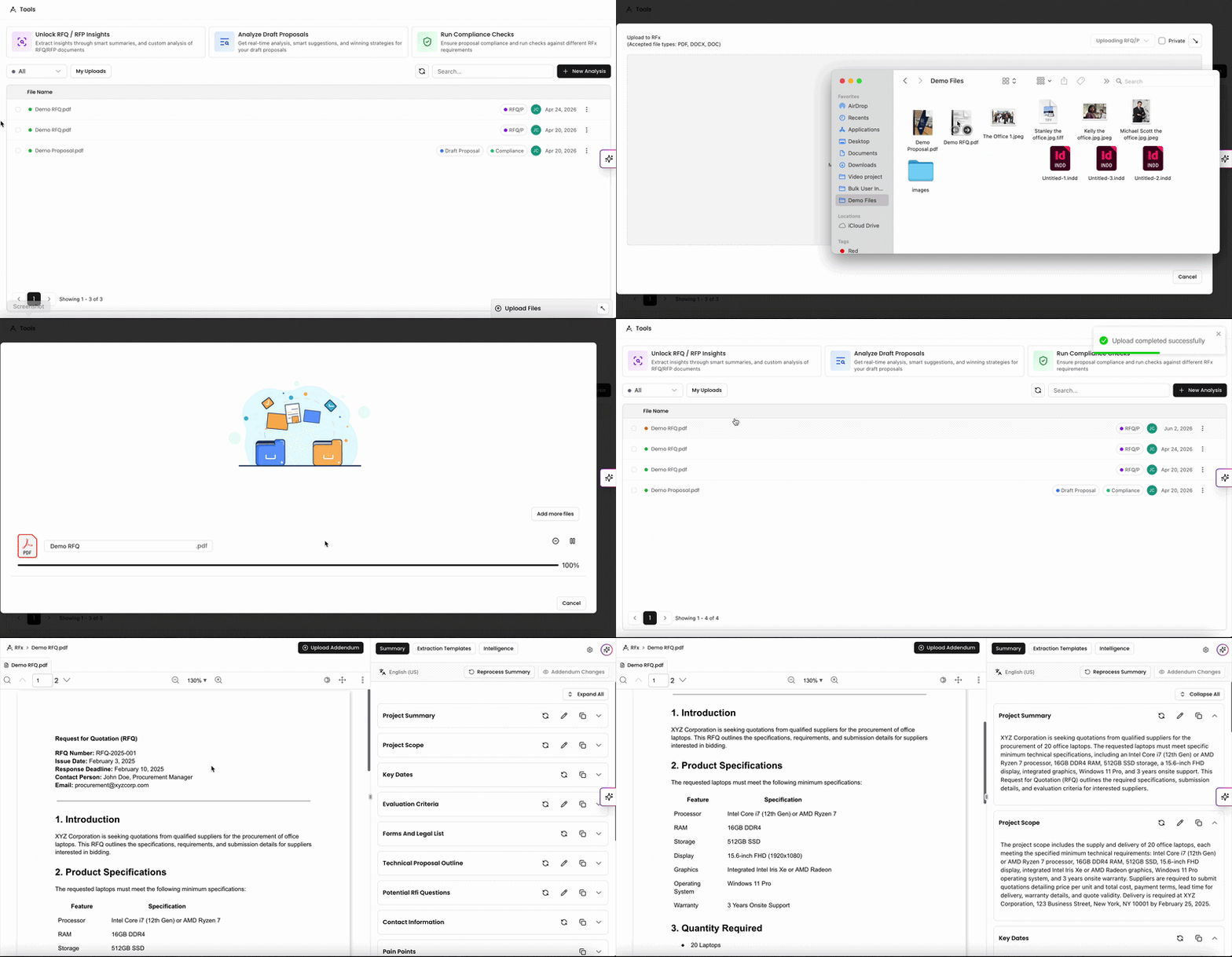
In the Tools page, you can upload RFQs and RFPs for our AI to read through, process, and extract insights. This document analysis tool helps proposal teams streamline their drafting process by providing insights and requirements within the RFx document.
For more information on RFx insights, check out this article.
Analyze Draft Proposals
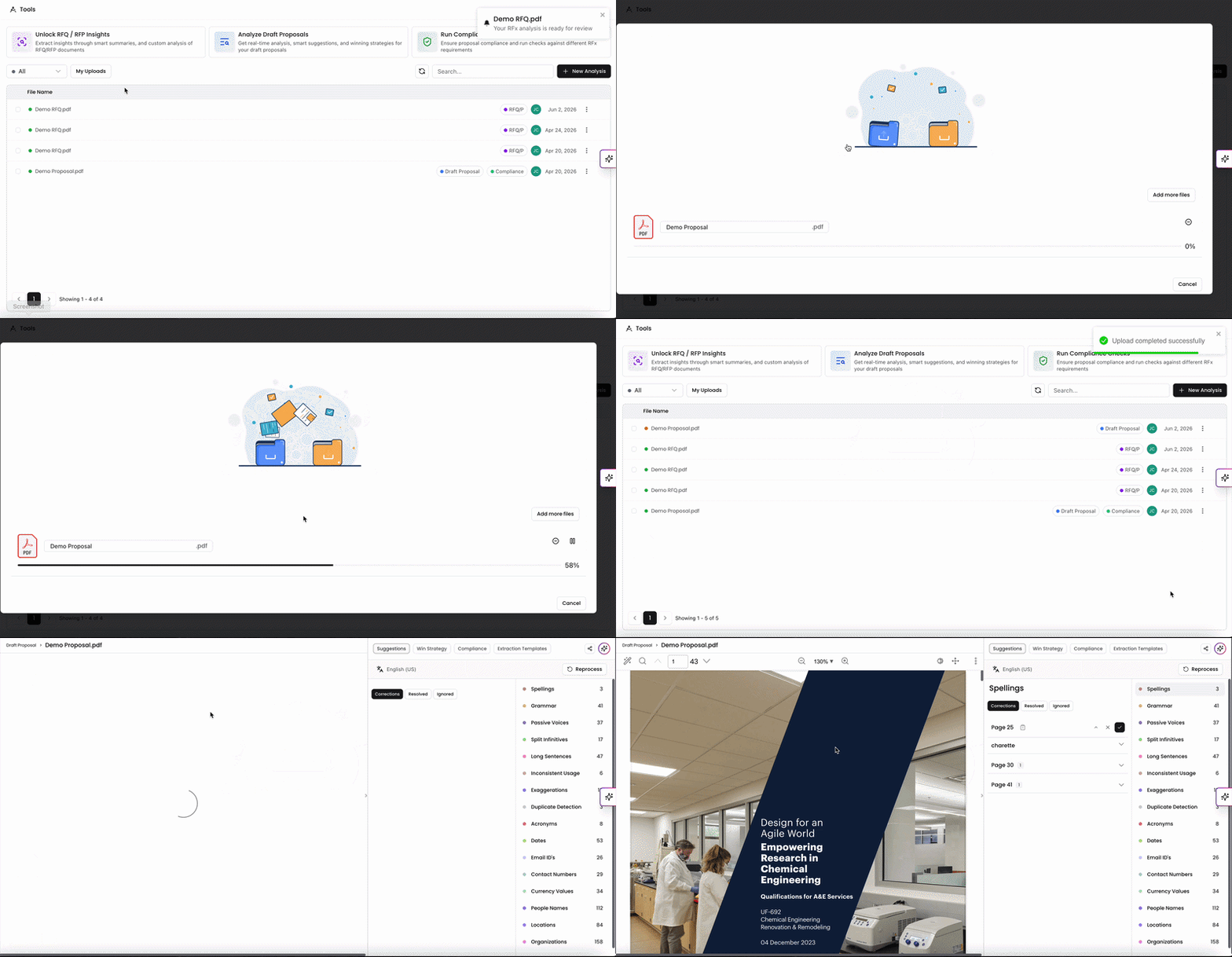
Kantiv has you covered if you're drafting a proposal. You can upload your Draft Proposals into our document analysis tool and our AI will process your document and pull high level insights, win strategies and ratings, and suggestions for improvement. It's like having a proofreader, an appraiser, and a feedback coach all in one.
For more information on Draft Proposals Analysis, check out this article.
Run Compliance Check
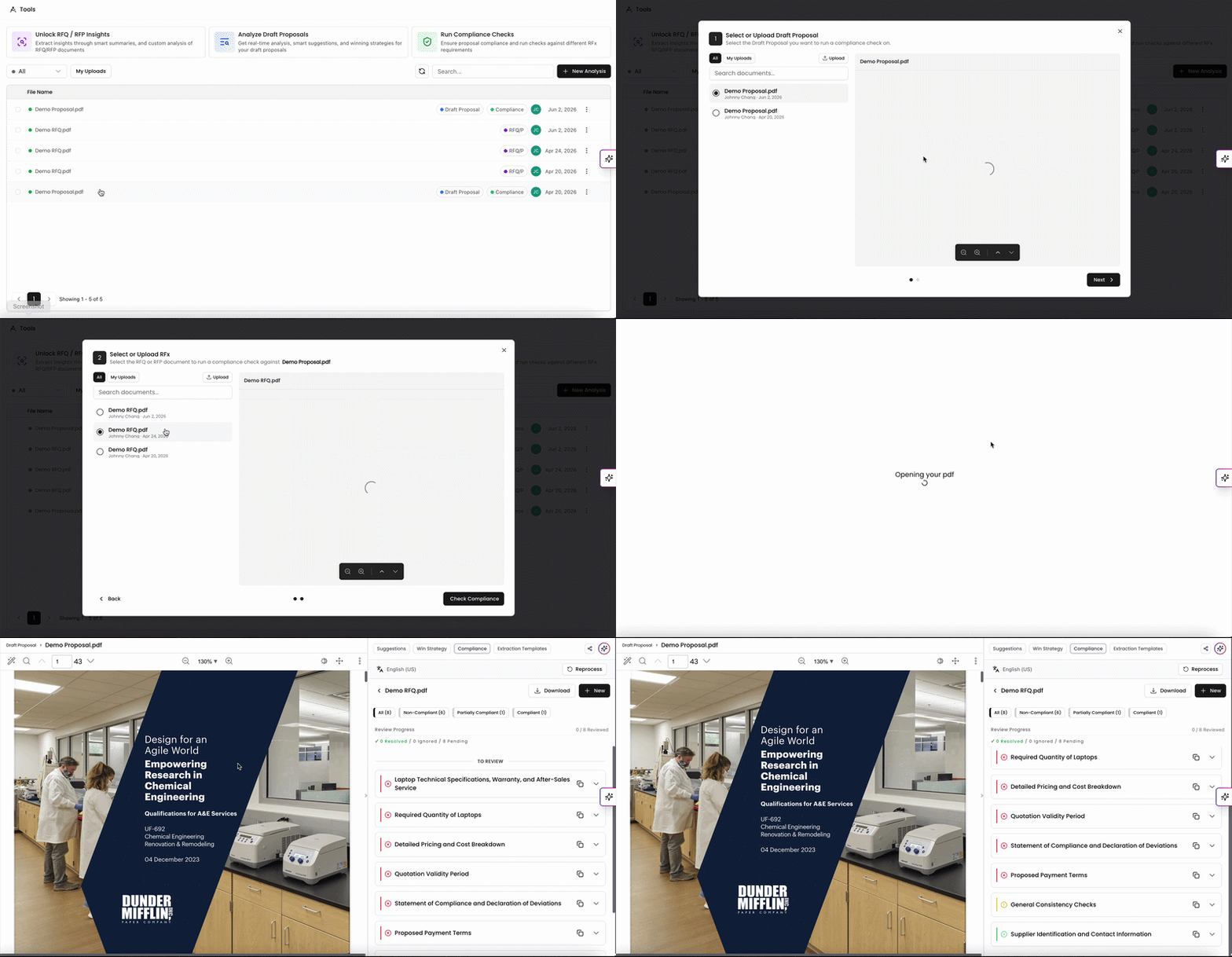
If you have a Draft Proposal and RFx uploaded in the list, you can run a compliance check. This tool helps you gauge how well your Draft Proposal aligns with the RFx requirements and receive insights on areas for improvement.
For more information on Compliance Checks, check out this article.
Viewing and Filtering Existing Analyses
You can view all existing
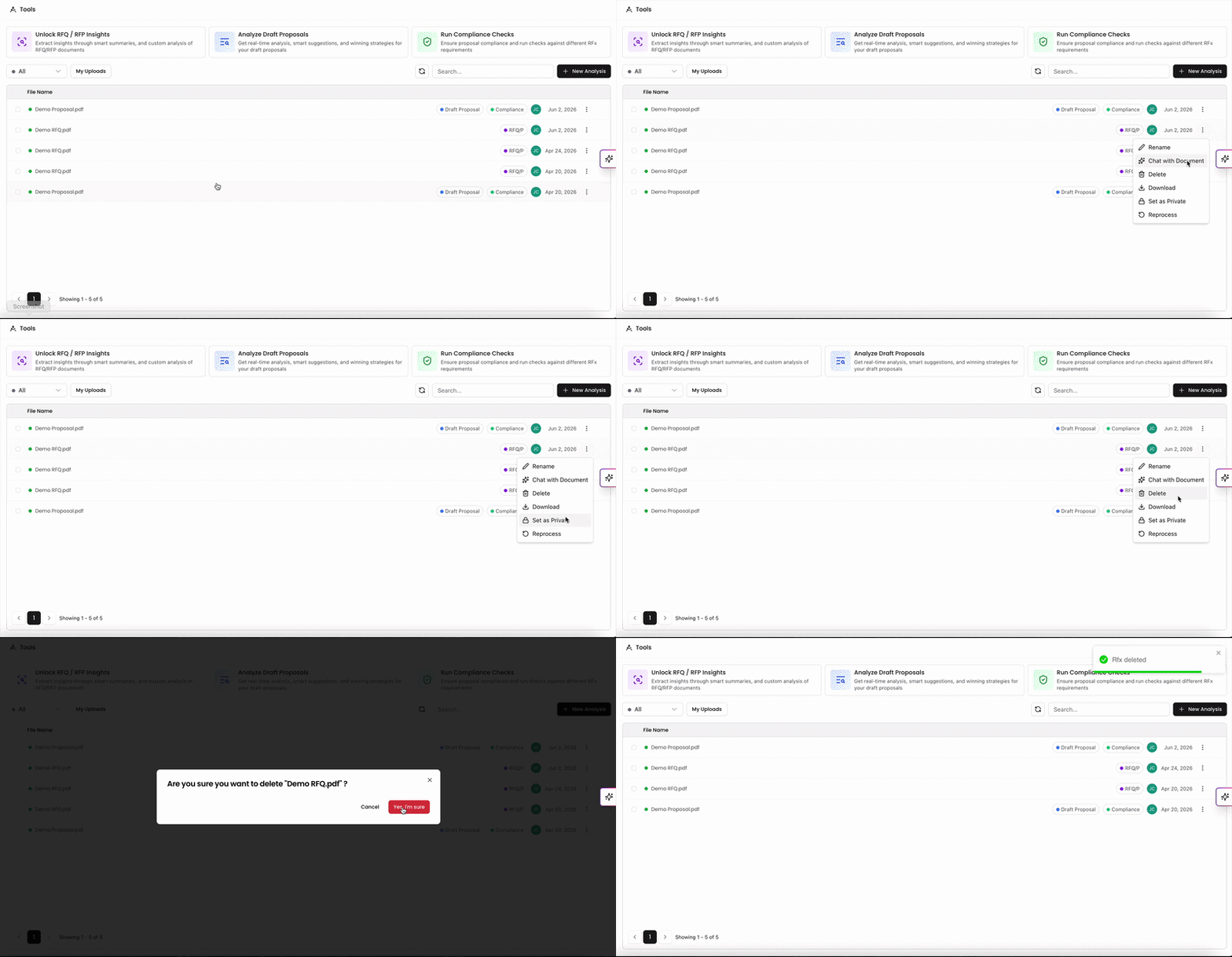
analyses in the table on the Tools Page. In the list, you can see
The file name.
Which form of analysis is (RFx, Draft Proposal, Compliance).
Who uploaded the file and ran the analysis.
The date the analysis took place.
For each item in the list, you also have a few actions you can perform with the file. Click on the three dots on the right to populate a dropdown menu to:
Attach the file to a new chat session.
Delete the analysis from the list.
Download the file.
Reprocess the file (unavailable for Draft Proposals that haven't had a Compliance Check).
Filtering and Searching Analyses
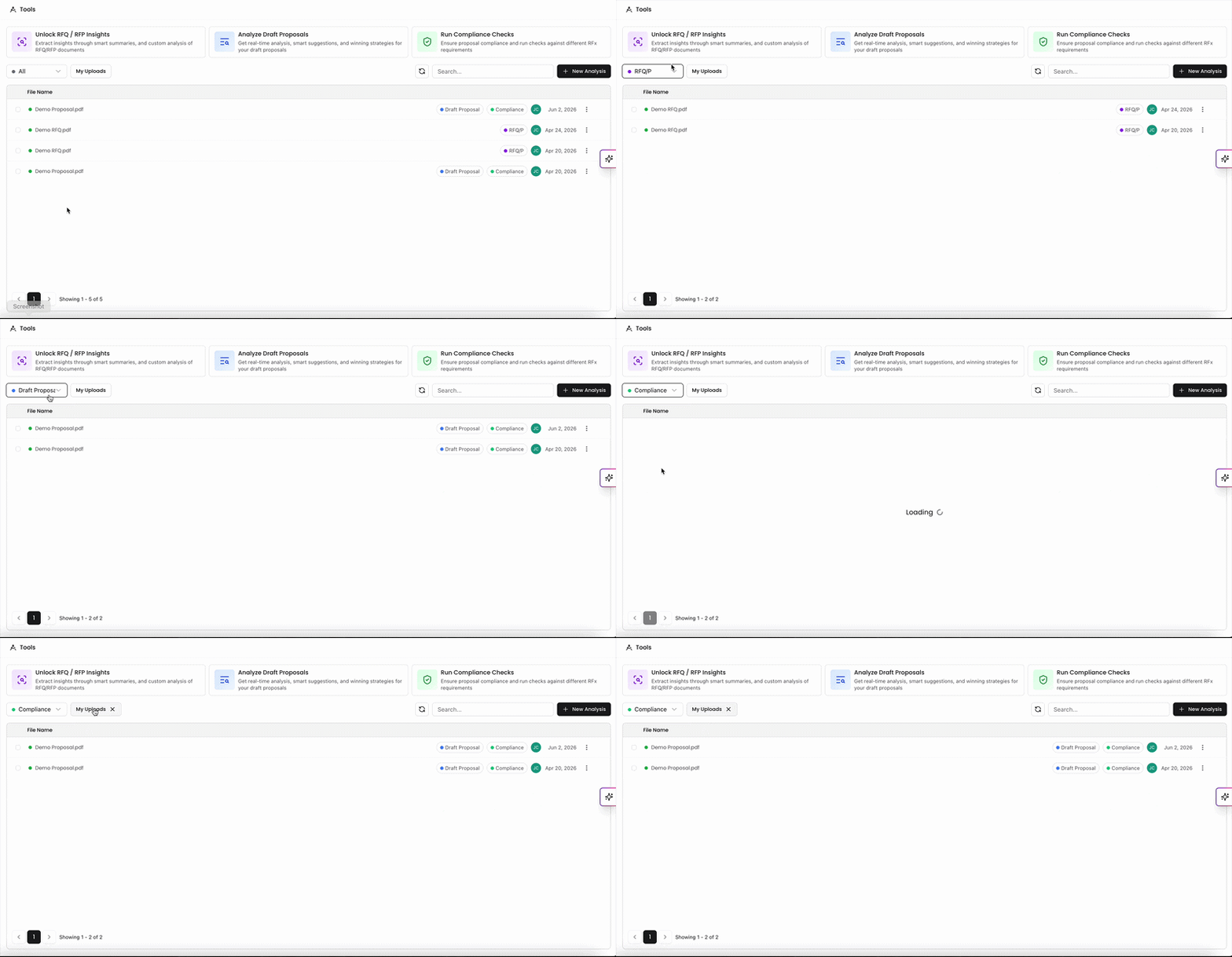
On the top left above the file list, you can filter through different forms of analyses. In the dropdown menu, toggle between RFx files, Draft Proposals, and Compliance Checks to determine what displays in the file list. You can also click on My Uploads to only view files that you've uploaded in the list.
You can also use the Search Bar on the top right to search for specific files.
If another user has uploaded a file for analysis during your session and it isn't showing in the list, you can click the refresh button next to the search bar to repopulate the file list.
Benefits of Using Tools
Saves Time: Automates the laborious process of proofreading.
Enhances Quality: Ensures high standards of language, layout, and strategy.
Tailored Feedback: Offers specific insights based on your style guide and project requirements.
Strategic Advantage: Provides strategic insights to improve the document's effectiveness.
The Tools page in Kantiv simplifies the proposal process by bringing RFx insights, draft analysis, and compliance checks into one place. With built-in filtering, search, and management options, you can easily review, organize, and refine your analyses—helping your team save time and produce stronger, more compliant proposals.
You can always find more information on Tools and Document Analysis in our Support Center. Please send any questions or feedback to Support@Kantiv.com.