Public and Private Collections
Last updated: June 2, 2026
Collections in Kantiv give your team a flexible way to organize and control access to important content. Whether you're managing sensitive client documents or building shared resources for collaboration, choosing the right visibility setting—public or private—ensures the right people have access at the right time. This article outlines the key differences, use cases, and best practices to help you structure your collections effectively.
Private vs. Public Collections
Private collections are only visible to the creator and invited users, making them ideal for sensitive or restricted content.
Only owners can delete the collection.
Shared users can upload files but can’t edit or delete the collection.
Content is hidden from search and chat for unauthorized users.
Public collections are accessible to the entire team and are best suited for shared knowledge and collaboration.
Admins can manage and delete collections.
Content appears in search and chat for all users.
Enables cross-team collaboration and visibility.
Ideal for shared resources, templates, and reusable content.
Creating Private Collections
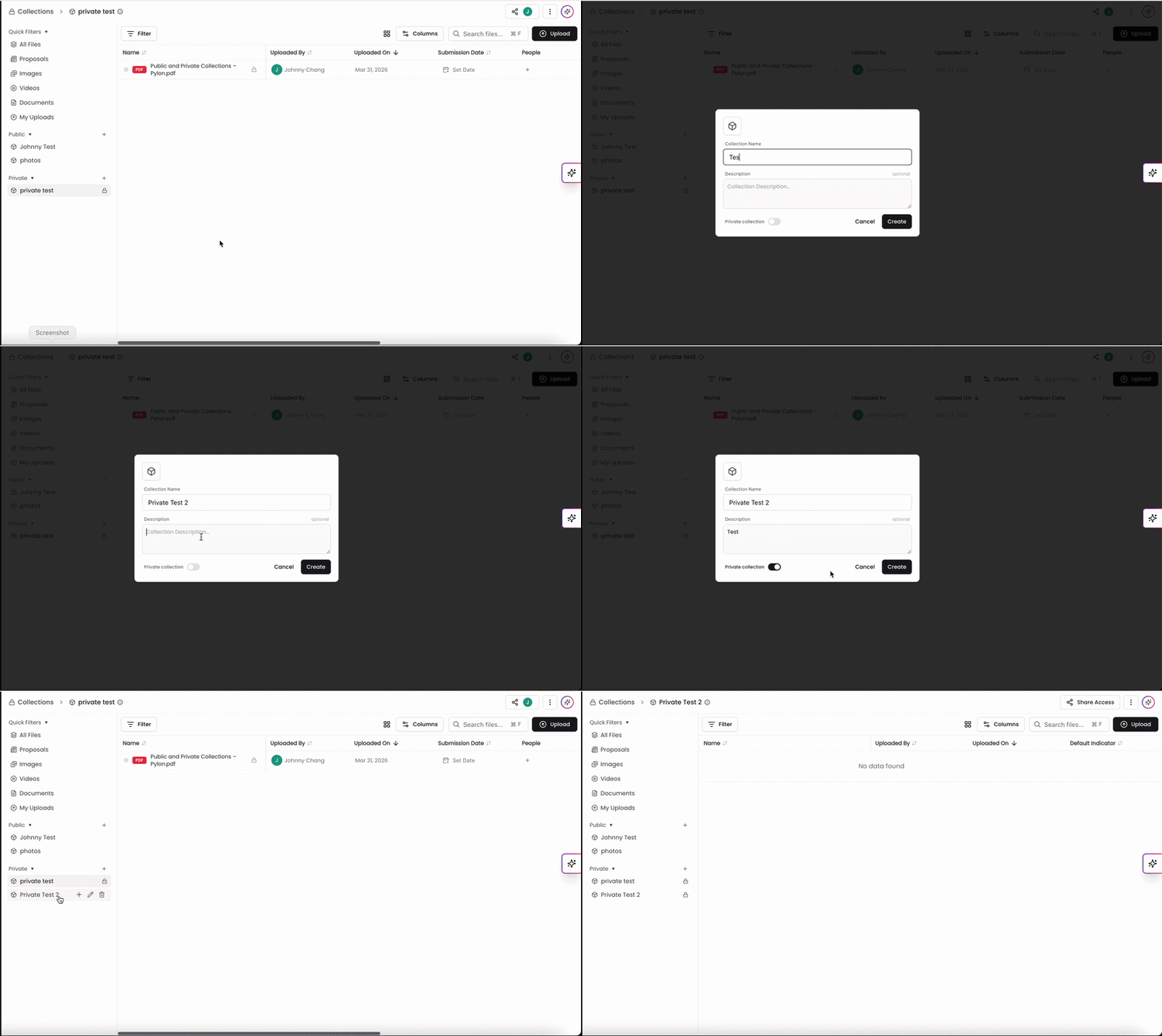
To create a private collection:
Click the + next to Collections in the left navigation.
Add a name and optional description.
Set visibility to Private.
Sharing Access to a Private Collections
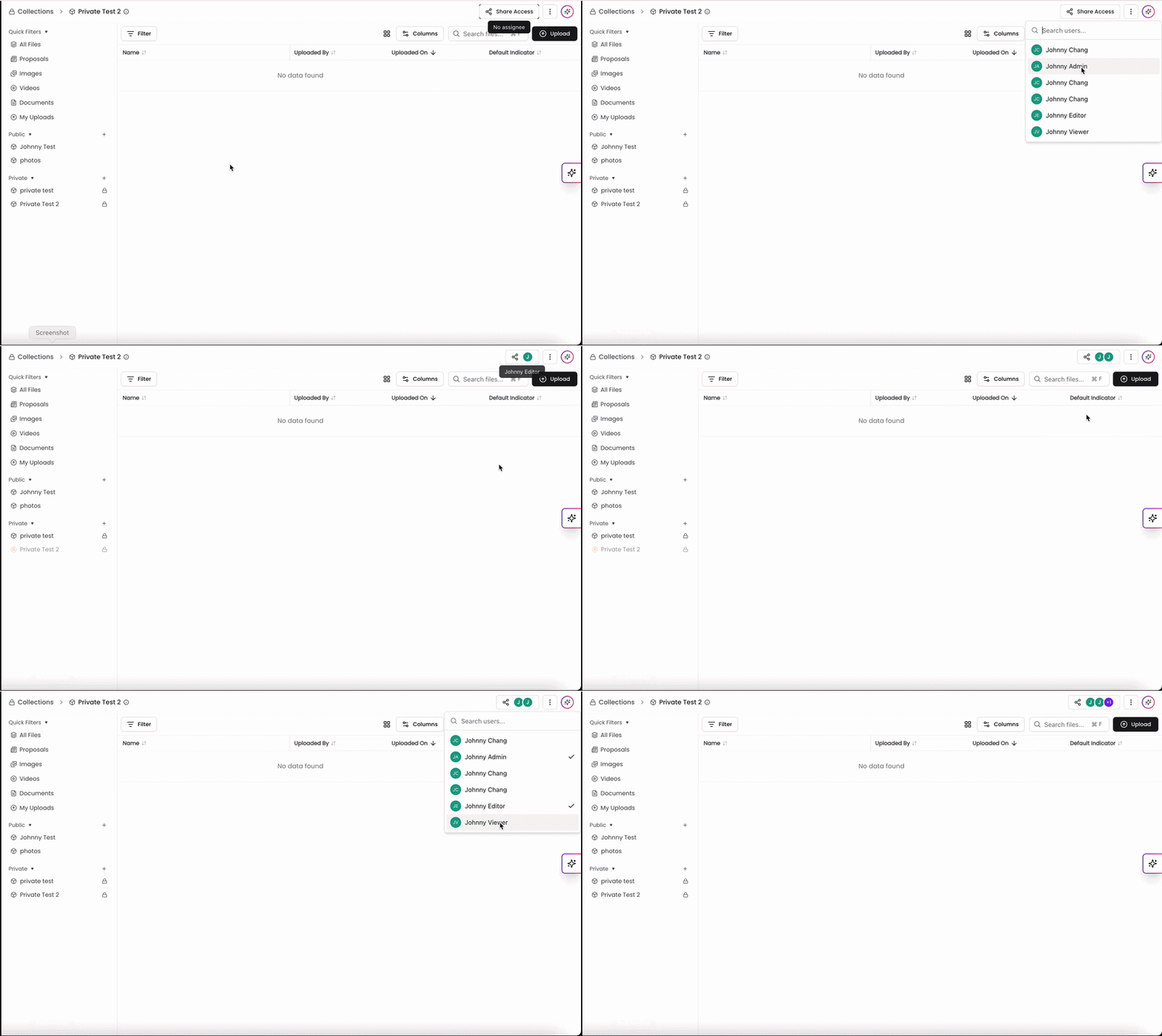
To share access to a private collection:
Open the private collection.
Click Share Access.
Select users to grant access.
You can remove access at any time by deselecting users.
Common Use Cases for Private Collections
Confidential Content Management
Store sensitive communications and documents not meant for all users
Manage division-specific content (e.g., government or regulated projects)
Keep client-specific materials separate from general company resources
Team-Specific Workflows
Allow teams to manage content independently without impacting others
Organize collections by market, project type, or function
Separate specialized content (e.g., technical, marketing, social)
How Collections Affect Chat and Search
Chat within a collection limits AI responses to that collection’s content
Filters allow you to search within specific collections
Private collection content remains invisible to unauthorized users
Best Practices for Private Collections
Upload Workflow
Upload files directly into private collections instead of moving them later. This ensures content stays fully private and never appears in the general file repository.
Naming Conventions
Use clear, consistent naming (e.g., client name + project) to make collections easy to find and manage.
Access Management
Regularly review and update access to ensure only the right users have visibility.
Public and private collections in Kantiv help teams balance collaboration with control. Public collections make it easy to share resources across the organization, while private collections ensure sensitive or specialized content stays limited to the right users. By choosing the appropriate visibility setting and following best practices, teams can stay organized, protect important information, and work more efficiently.
You can always find more information on Content Management in our Support Center. Please send any questions or feedback to Support@Kantiv.com.