Applying Linked Records to Files
Last updated: June 2, 2026
Linked Records connect your files to the People, Projects, Opportunities, and Companies identified within them. As documents are uploaded and processed, Kantiv automatically detects relevant entities and links each file to the appropriate records in your Library. This article explains what Linked Records are and how to review, add, or update those connections to keep your data accurate and organized.
What are Linked Records?
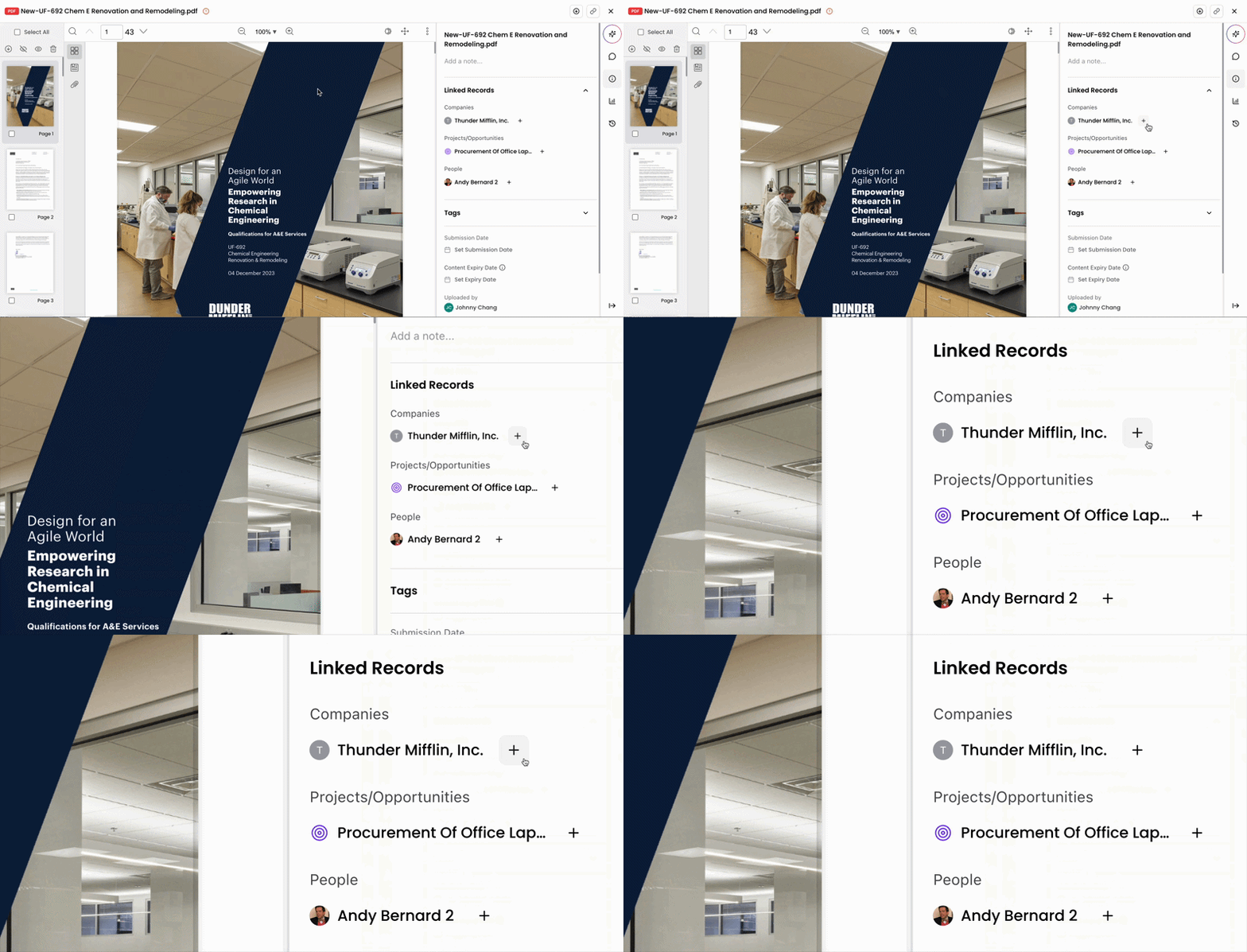
Linked Records are the People, Projects, Opportunities, and Companies associated with a file based on its contents. When a file is uploaded and processed, Kantiv scans the document to identify new or existing entities.
When identified, Kantiv either creates a new record in your Library or links the file to an existing record. While Linked Records are generated automatically, you may occasionally need to review or adjust them to correct associations, consolidate duplicates, or ensure files are connected to the appropriate records.
Because Linked Records directly impact how People, Projects, Opportunities, and Companies connect across the Knowledge Graph, keeping them accurate helps maintain reliable search results and reporting.
Adding or Editing Linked Records
There are two ways to add or edit Linked Records for a file:
From the Files page
Within an individual file
From Files Page
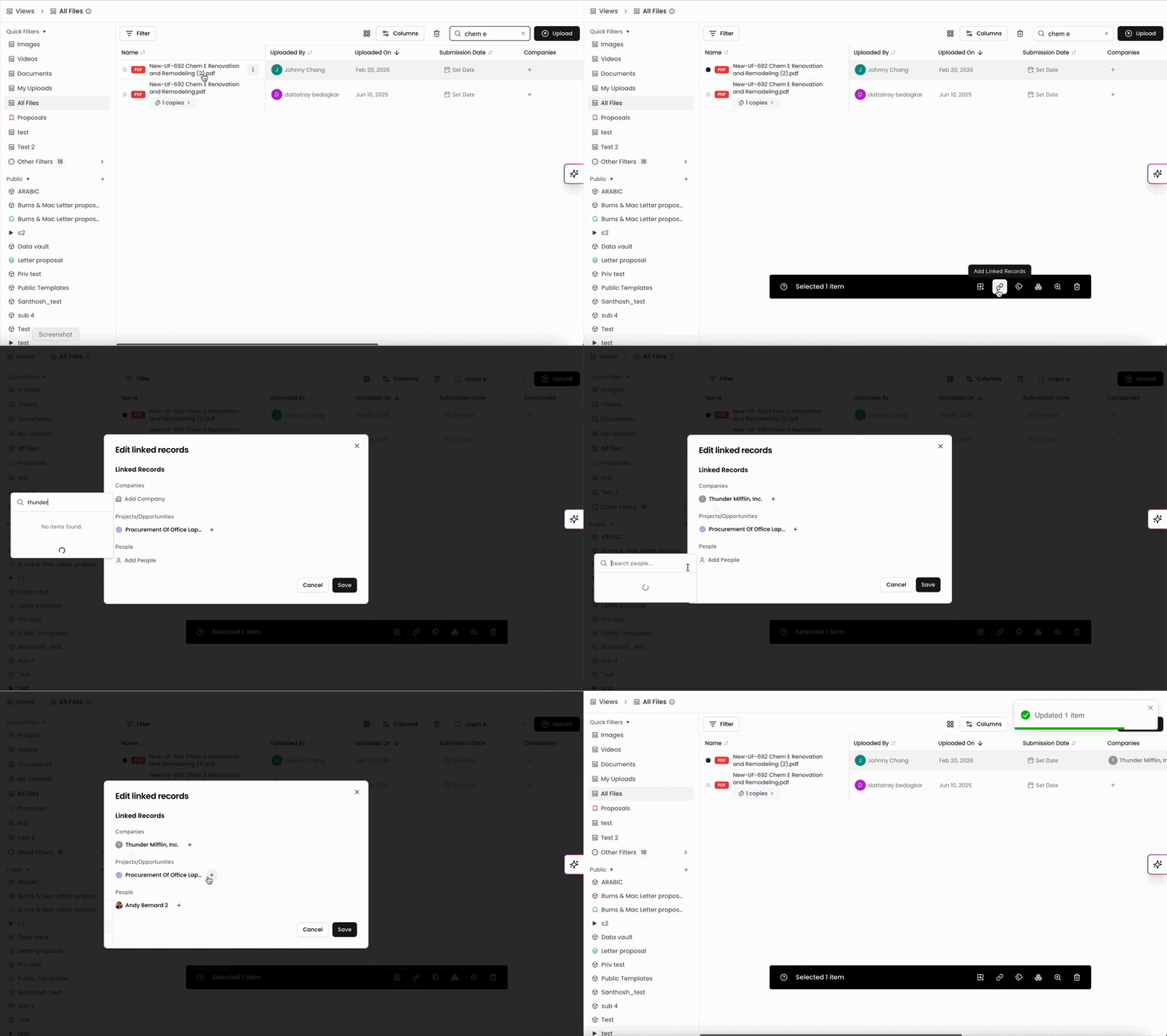
When viewing the Files page:
Select the checkbox next to the file(s) to activate the action bar.
Click Add Linked Records.
Select the Company, Project/Opportunity, and/or People to link to the file(s).
Click Save.
This method is recommended when updating multiple files at once, as it allows you to apply changes in bulk without opening individual files.
Within a File
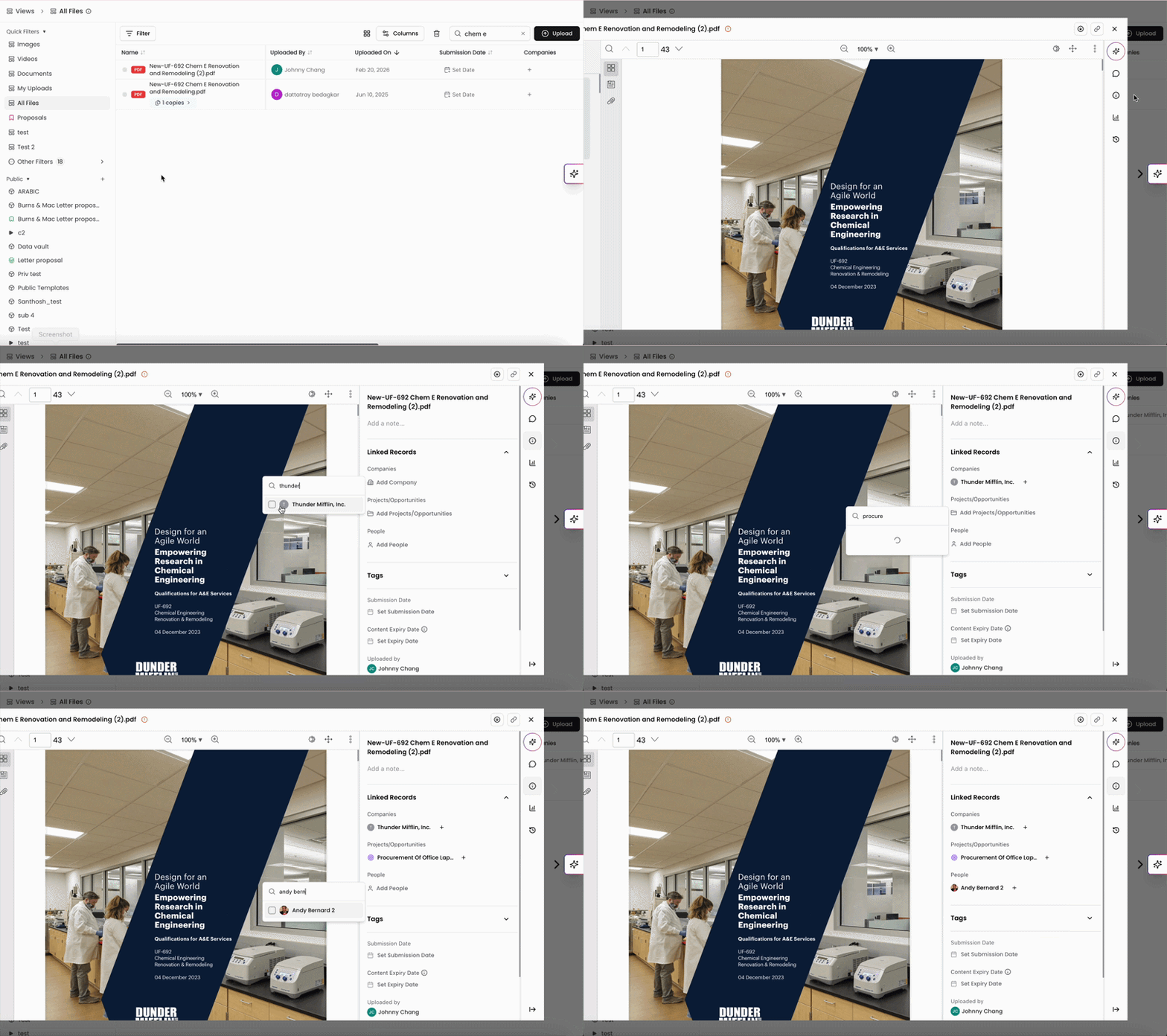
When viewing a file:
Click the Information tab in the right-hand panel.
Expand the Linked Records section.
Select the Company, Project/Opportunity, and/or People to link to the file.
This method is useful for reviewing and adjusting Linked Records while working within a specific file.
Linked Records ensure that every file in your Library remains connected to the People, Projects, Opportunities, and Companies it references. By automatically generating and maintaining these relationships—and allowing you to refine them when needed—Kantiv keeps your Knowledge Graph accurate, organized, and fully interconnected. Regularly reviewing Linked Records helps preserve clean data, improve searchability, and maintain a reliable source of truth across your firm’s content.
You can always find more information on Content Management in our Support Center. Please send any questions or feedback to Support@Kantiv.com.