Boilerplates in Kantiv: Streamlining Reusable Content
Last updated: July 16, 2026
Boilerplates, often referred to by other names such as "standard content," "narratives," or "template text," are prewritten sections of text that AEC firms use repeatedly across proposals, reports, and other documentation. Kantiv's boilerplate feature simplifies the creation, organization, and management of these standardized pieces of content, ensuring consistency and efficiency.
What Are Boilerplates?
Boilerplates are reusable content blocks that include standard company introductions, project methodologies, or technical descriptions. Boilerplates centralizes your content management and ensures your content is up-to-date. They help AEC firms save time, maintain brand voice, and ensure consistent messaging across documents.
Other Names for Boilerplates in AEC Firms
Standard Content
Narratives
Template Text
Reusable Sections
Prewritten Descriptions
Accessing Boilerplate Content
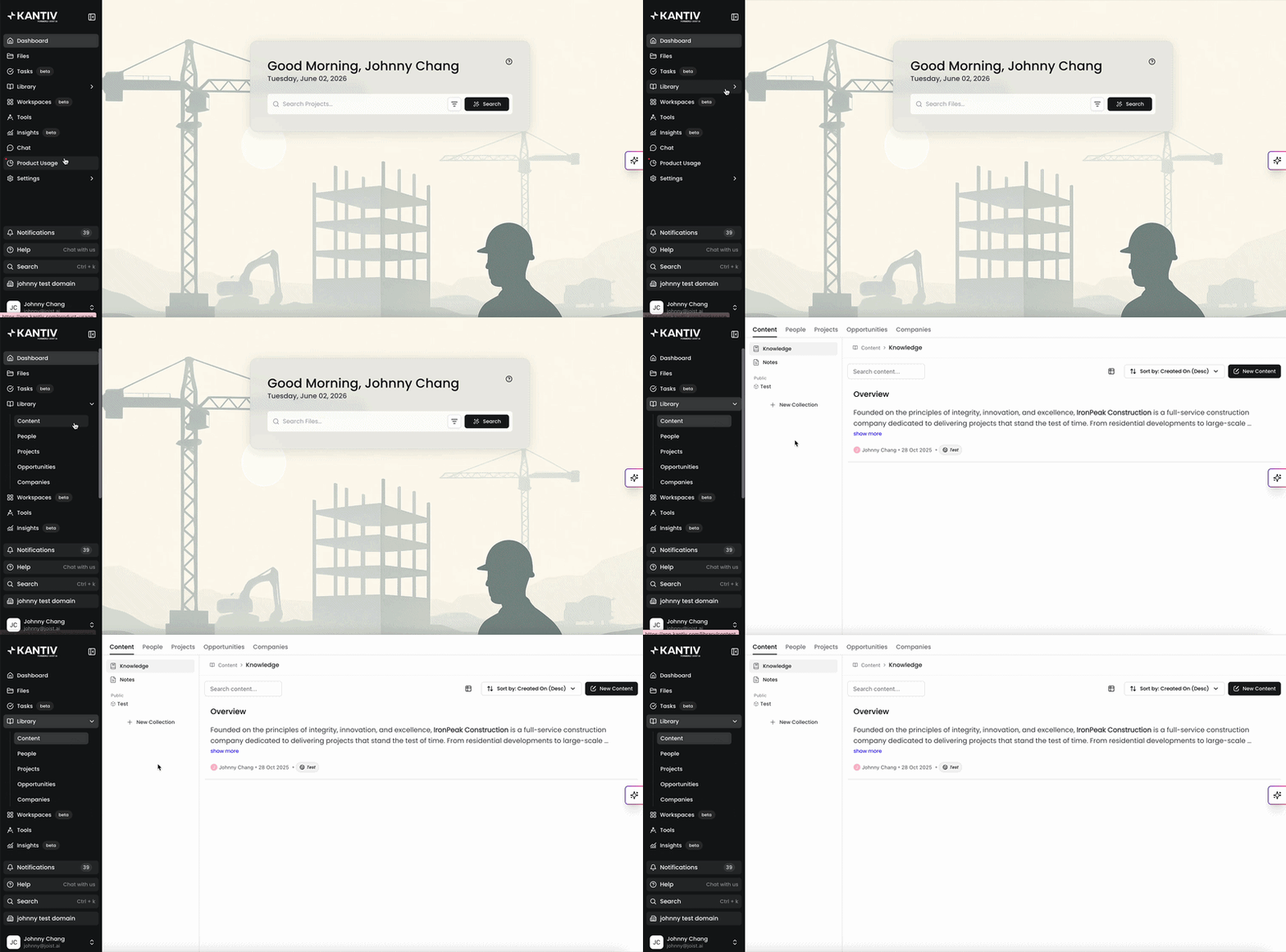
You can access your Boilerplate content by clicking Content under the Library tab in the main menu. Alternatively, you can use this link.
Creating Boilerplate Content
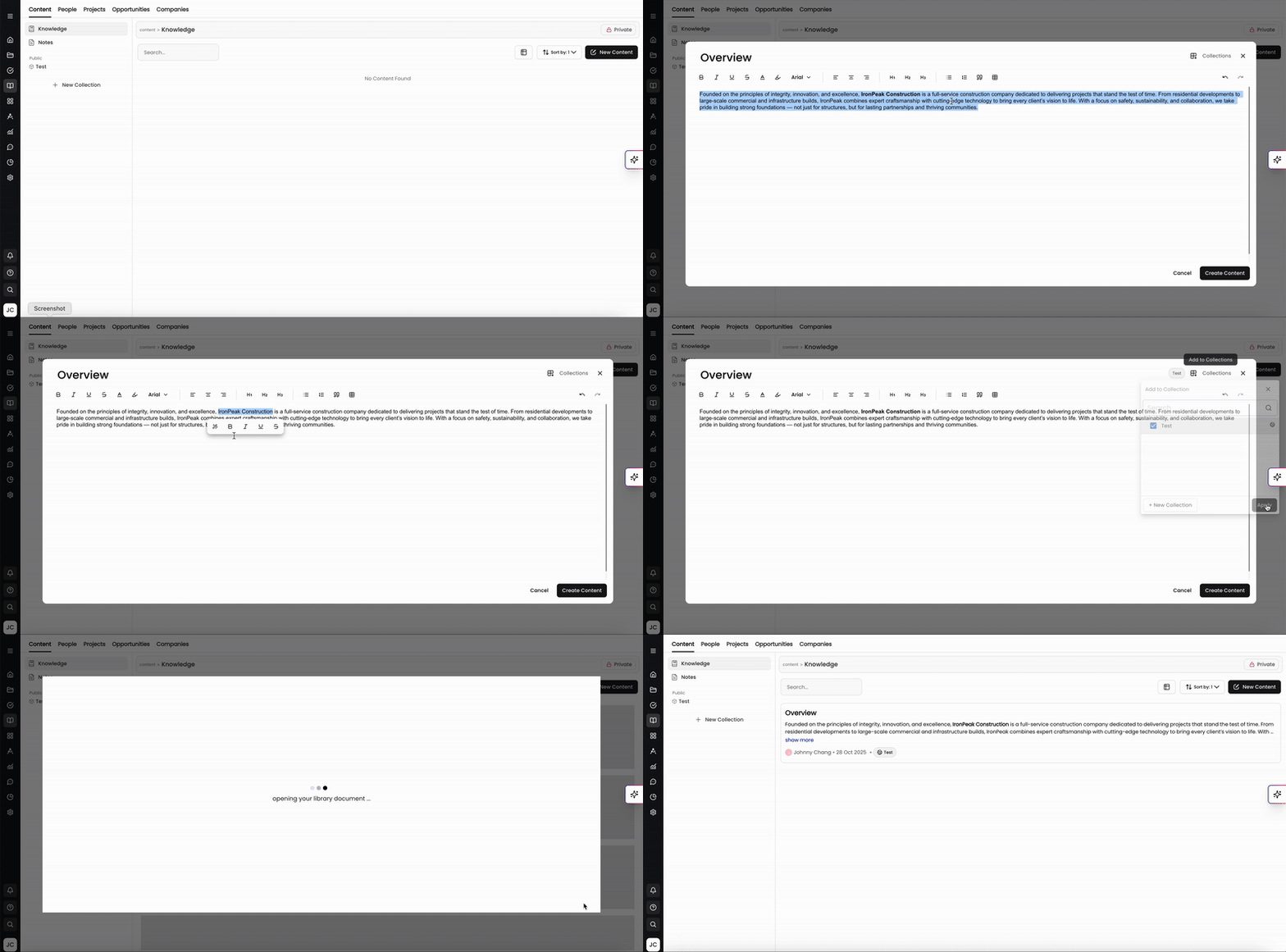
Kantiv provides easy methods to create, format, and publish your boilerplate content.
To create new boilerplate content:
Click New Content on the top right to open the content editor.
Enter the title and body and use the formatting tools available to your liking.
Add this content to a collection(s) by clicking Collections on the top right.
This gives anyone access to that collection the ability to view and use the boilerplate content available within it. Collections can be made public for team usage or private for individual use.
If you don't add this content to a collection, this content will stay private solely for personal use.
Click Create Content to save and make it available for use.
Your newly created boilerplate content will populate in the editing menu. From here, you can edit the content, or view information on the content, edit or restore using version history, or view variations to see where this content is used across documents.
Viewing Boilerplate Information
While on the Content page, click on your content to open and view it in a pop up window. You can view your content on the left side as well information on your content on the right side.
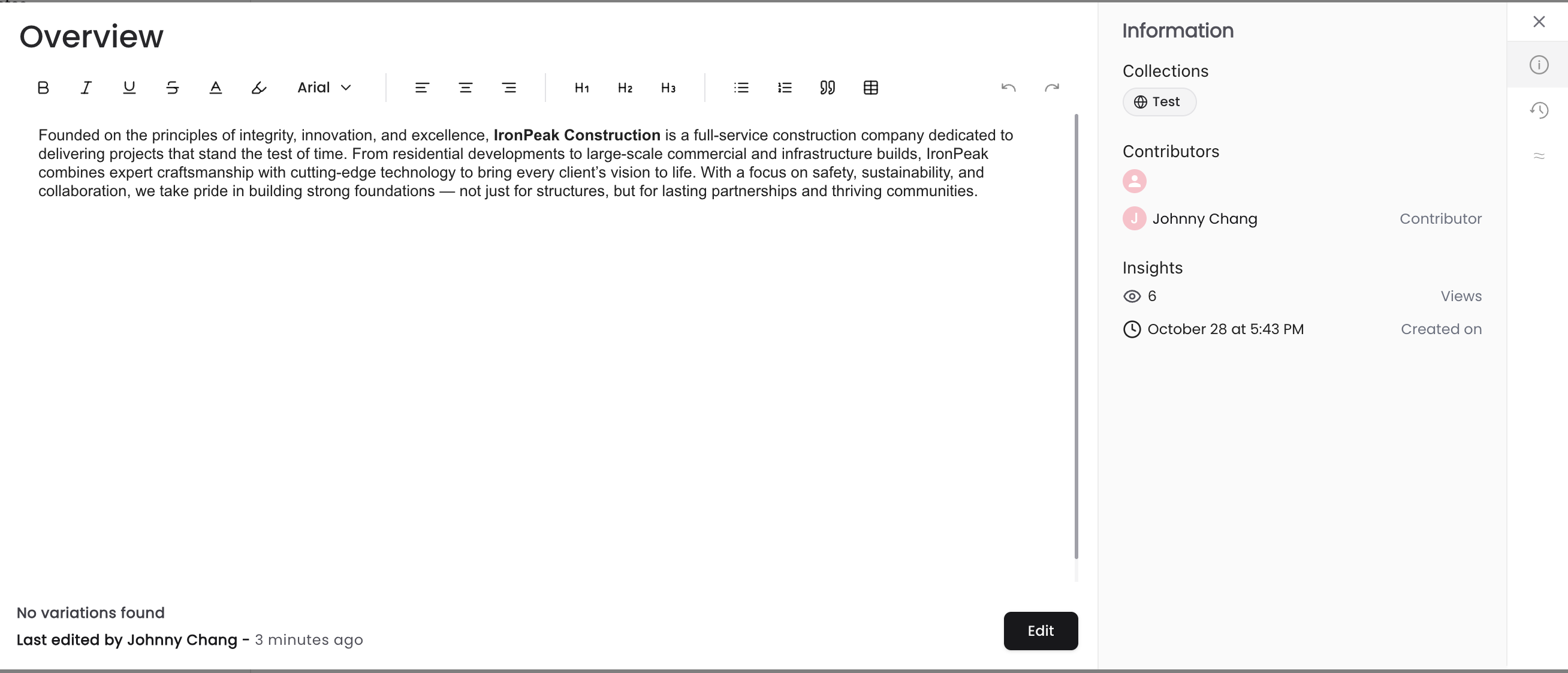
On this view, you can see
The collection(s) this content is housed in.
The user(s) who contributed and/or edited this content.
The total number of views this content received to gauge how often it's being used and referenced.
The date this content was generated.
At the bottom-left of the page, you can see if there are any variations where this content was used, who last edited this content, and when it was last edited.
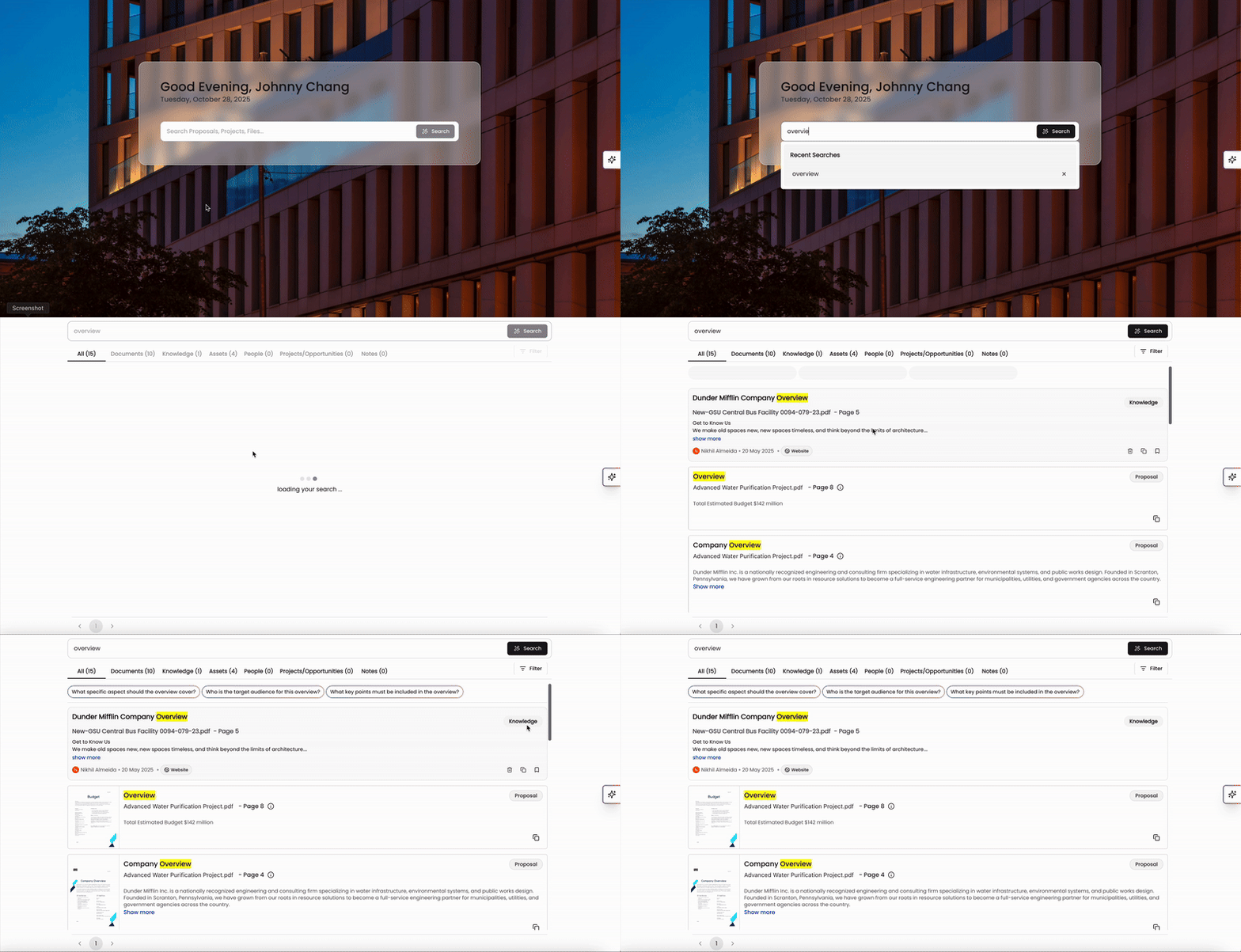
You can also see your boilerplate content readily available when using search. Search prioritizes boilerplate content and places it above other documents and proposal content within the search results.
Editing and Restoring Boilerplate Content
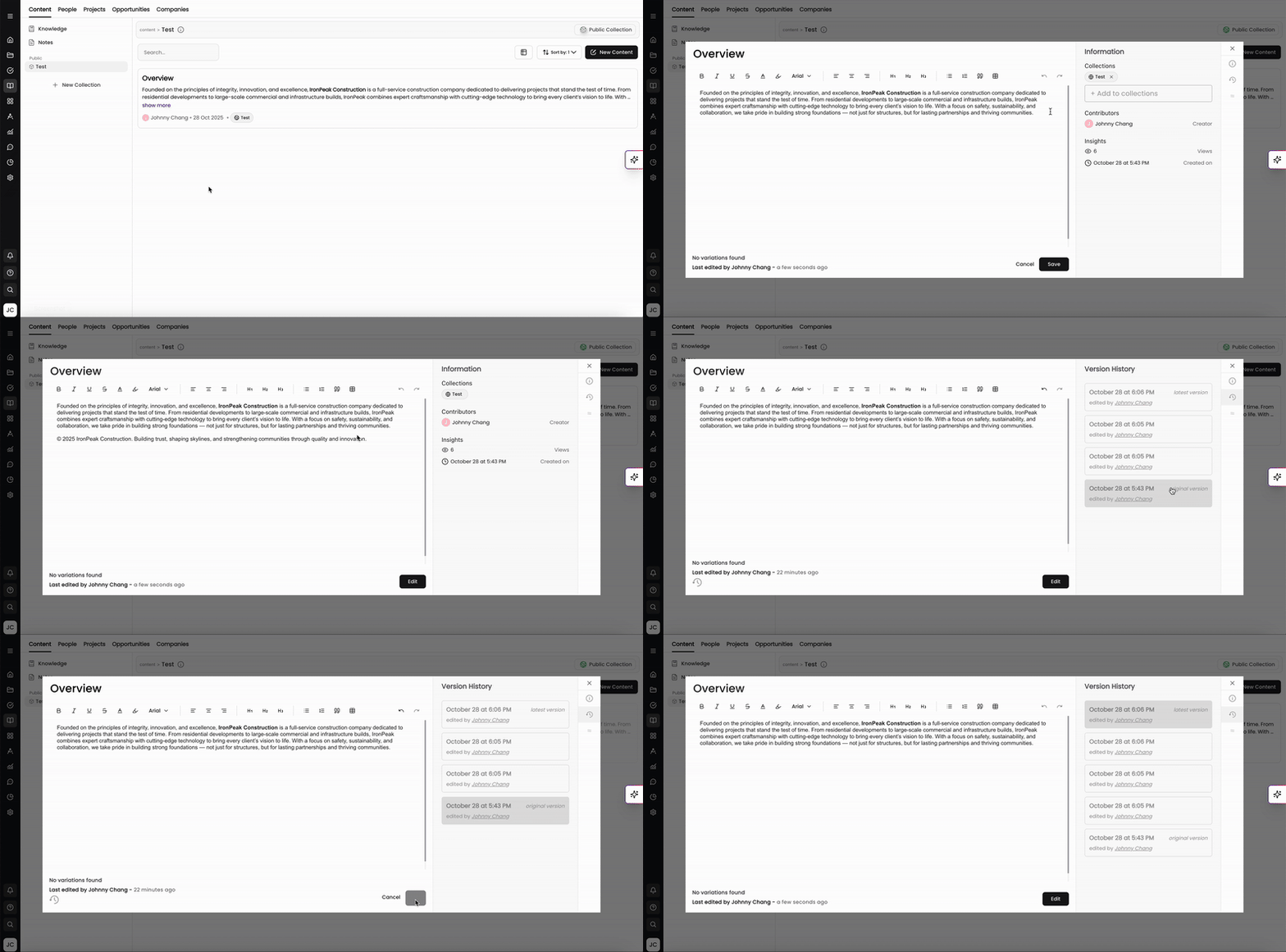
When viewing your boilerplate content, you and your teammates can make and track edits using version history. The Kantiv platform keeps all version history for boilerplate content and allows you to restore your content back to a former version if needed.
To edit your content:
Click Edit at the bottom of the page when viewing your content.
Make your additions and edits as needed.
Click Save at the bottom.
Your content will now be saved and the last edited information will update at the bottom-left of the page.
You can view version history by clicking on the history tab on the right hand side. Each historical version of your content will be listed with the day/time the edit was made and who made the edit. You can also click through each one to see the edits made onto the content.
To restore your content back to a former version:
Click on the version history that you'd like to restore the content back to.
Click Edit on the bottom
Click Restore and your boilerplate content will restore back to the former version.
Viewing Variations
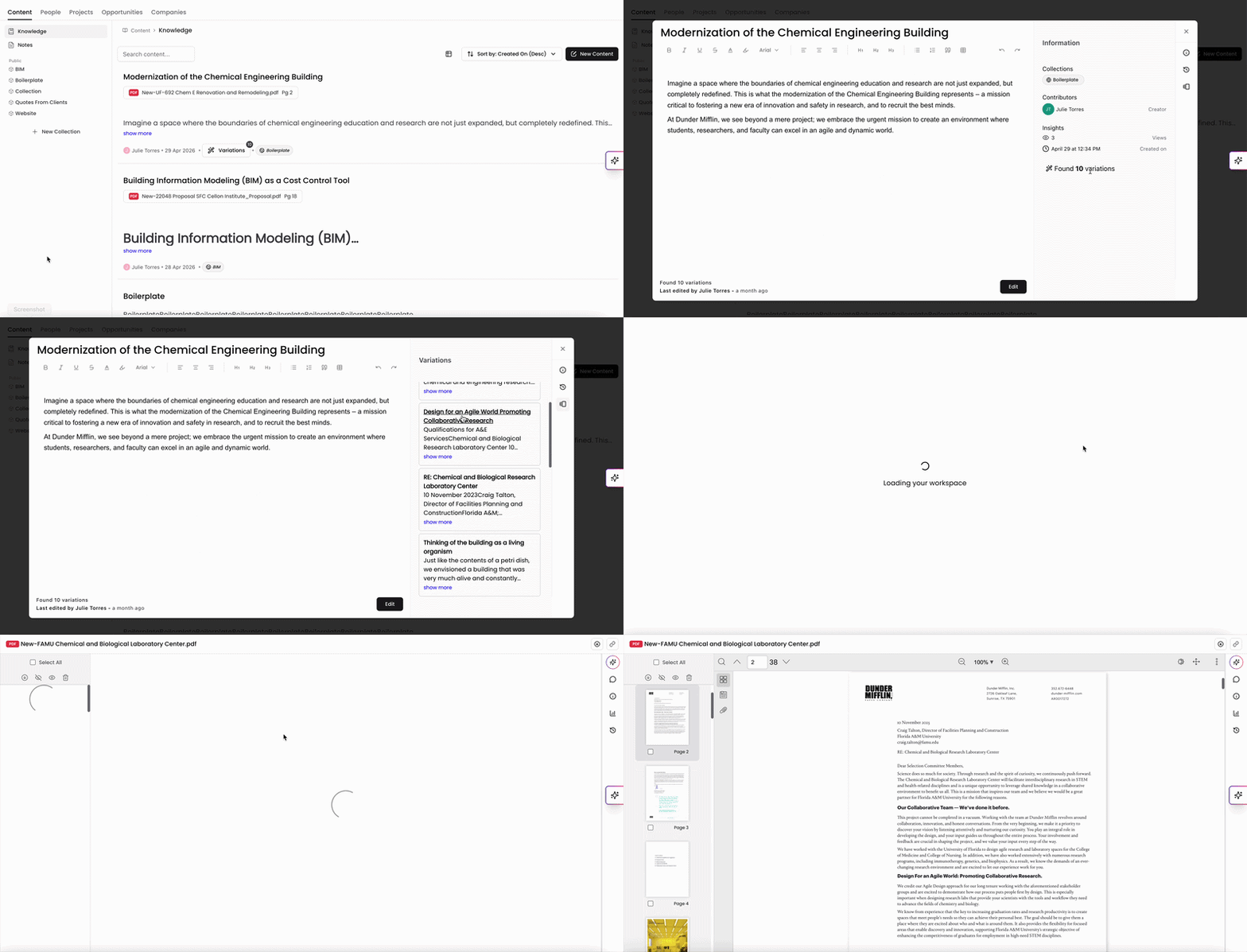
When viewing your content, you can use the variations menu to see where your content appears within your documents. Your variations can also be seen on your list of boilerplate content with the total number of documents it's used in. This is a useful way to ensure you're seeing a return on your content if it's frequently utilized in other places.
Best Practices for Boilerplate Management
Be Specific: Use clear titles to describe the content’s purpose.
Standardize Across Teams: Ensure all team members use approved boilerplates for consistency.
Update Regularly: Review boilerplates periodically to keep content current.
Organize by Collection: Use collections to categorize boilerplates by project type, market sector, or client.
By using Kantiv to manage boilerplates, AEC firms can enhance efficiency, ensure message consistency, and improve collaboration across teams. For further guidance, explore Kantiv’s Help Center or contact support.
You can always find more information on Content Management in our Support Center. Please send any questions or feedback to Support@Kantiv.com.